


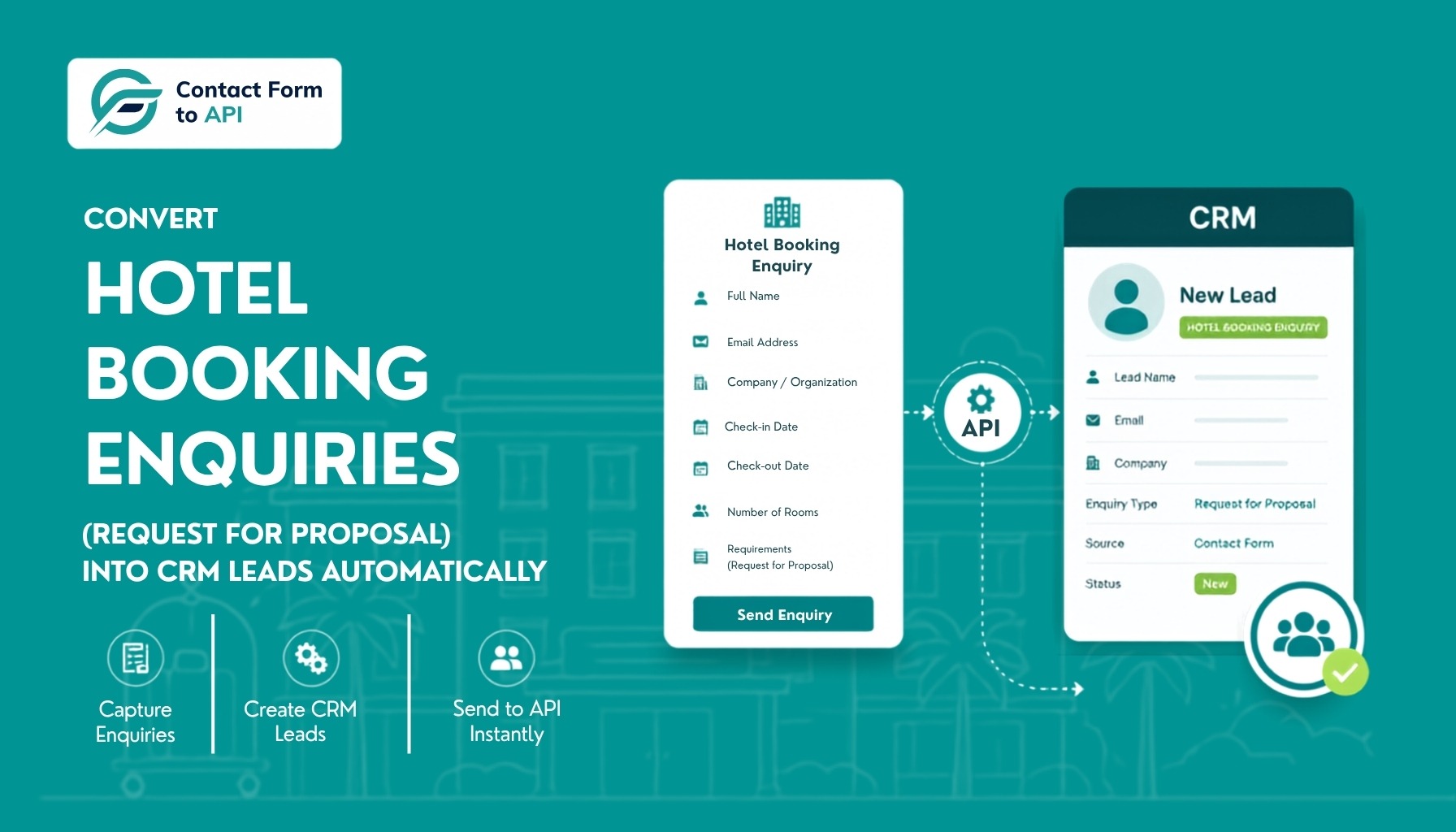
Every hotel enquiry that sits in an email inbox risks becoming a lost booking. The fastest way to fix this is to send every form submission directly into your PMS or reservation workflow the moment a guest hits submit. Using Contact Form to API, you can map your booking enquiry form fields to your PMS, eliminate manual data entry, and ensure no booking enquiry falls through the cracks. The entire process runs inside WordPress, works alongside your existing property management system, and requires no Zapier or third-party platforms.
Here’s a typical workflow at a small to mid-size property: a guest submits a booking inquiry via the website contact form. That form submission lands in someone’s email inbox. A staff member reads it, checks availability in the PMS, and manually enters the enquiry details into the reservation workflow. Maybe. If they remember. If the inbox isn’t flooded with 40 other messages.
The cost isn’t obvious until you tally it up. Say you receive 20 inquiries per day and spend five minutes manually entering each one into your PMS. That’s 100 minutes of pure data entry, every single day, roughly nine hours per week, done by someone who could be spending that time actually talking to guests.
The bigger cost is the lost bookings you can’t measure. When an inquiry sits in an inbox instead of your PMS or reservations workflow, no one can see it except the person who opened the email. There’s no assignment, no priority flag, no automatic follow-up. High-value group inquiries look identical to last-minute single-night requests. The team is reactive by default.
And speed matters far more than most hotels realize. According to hospitality response-time research by Guestara, booking inquiries that wait longer than five minutes for a response are significantly less likely to convert, especially when guests are comparing multiple properties at once. In many cases, the hotel that replies first wins the booking while slower responses never even get a second look.
A lot of hotels have accepted this as normal. It isn’t.
The Problem: Manual Enquiry Management Breaks Hotel Operations
Here is what enquiry handling looks like at most small and mid-size hotels.
A guest submits a form on the website. WordPress sends an email to the front desk. The front desk reads it between check-ins and phone calls. Someone types the guest’s name, dates, and room preference into the PMS. If they remember. If they have time. Then someone replies to the guest.
Each step in that chain is a chance for the enquiry to get lost. Email threads pile up. Two staff members reply to the same guest. Another guest never gets a reply at all. And the PMS, which is supposed to be the single source of truth, only shows the enquiries someone bothered to enter.
For many hotels, enquiry management becomes a hidden operational bottleneck. When reservation details arrive through emails, website forms, and third-party booking platforms, staff often end up re-entering the same information across multiple systems, increasing the risk of delays, errors, and missed booking opportunities. And that is before you count the bookings lost to slow replies.
Many hotels have accepted this chaos as normal. It is not. The fix is a simple piece of hotel enquiry management plumbing that most properties never set up.
What Does “Automated Enquiry to PMS” Actually Mean?
The idea is simple. There are three steps, and all of them happen without a human touching anything.
- A guest submits your booking enquiry form. This is often called a request for proposal, or RFP, in the hotel world. The guest shares their name, email, dates, room type, and any special requests.
- The form data is mapped to the fields expected by your PMS. The “Guest Name” field on the form matches the “Lead Name” field in the PMS. The check-in date goes to a custom date field. And so on.
- The PMS creates a new lead automatically. Within seconds of submission, the lead is sitting in the system, visible to your sales or reservations team.
That is the whole workflow. A request for proposal form integration is the technical name for step two, the part that connects your form to your PMS.
Let us also be honest about what this does not do. It does not answer the phone, check live room availability, or send a rate quote on its own. Those jobs belong to your PMS, and the integration is designed to work alongside it, not replace it.
So when is this approach enough? If your hotel has roughly 10 to 200 rooms, and website running on WordPress, and receives enquiries through a contact form, this setup will likely cover you well. If you are a large chain that needs voice AI and complex routing across dozens of properties, you will need more. For everyone else, this is the highest-value automation you can add in an afternoon.
The Three Components You Need: Form, Integration, PMS
You need all three pieces. A PMS alone cannot automatically capture website enquiries. The integration is what ties them together.
Component 1: The Form
This is where the guest enters their details. If you are on WordPress, you almost certainly already have one. Contact Form 7 is the most common choice. WPForms is another popular option. Either works.
Your booking enquiry form should capture at least: name, email, phone, check-in date, check-out date, room type, number of guests, and a free text box for special requests.
Component 2: The Integration
This is the glue. It takes the submitted form data and sends it to your PMS through an API. An API is simply a doorway that lets two software systems exchange data.
This is where Contact Form to API comes in. It is a WordPress plugin that connects your Contact Form 7 forms to any system with a REST API. If your site runs WPForms instead, we also offer a plugin for it named Connect WPForm to Any API, which does the same job for WPForms. Both plugins live inside your WordPress dashboard, so there is no third-party platform to log into.
You could also use Zapier as middleware. It works with almost anything, but it adds a huge monthly cost and another account to manage. We broke down the numbers in our Zapier vs Contact Form to API cost comparison, and for most hotels the direct plugin route wins.
Want more details about this?
We have a full walkthrough on automating Contact Form 7 without Zapier.
Component 3: The PMS
The Property Management System (PMS) is where the enquiry becomes an actionable booking opportunity. Once the booking request data has been extracted and standardized, it is automatically pushed into the PMS, creating an enquiry or reservation record without requiring any manual intervention from hotel staff.
Instead of reservation teams re-entering guest information, stay dates, room requirements, and special requests, the PMS receives the complete enquiry in the correct format. Staff can immediately review availability, prepare quotations, assign follow-up tasks, or begin the booking workflow.
This automated handoff ensures that every enquiry reaches the PMS quickly and consistently. It reduces the risk of missed requests, eliminates duplicate data entry, and gives reservation teams a single source of truth for managing prospective bookings from the moment an enquiry arrives.
Where Your Hotel PMS Fits In
Most hotels already run a property management system. Cloudbeds, Mews, eZee Absolute, Hotelogix, and Little Hotelier are common at small and mid-size properties. These systems handle reservations, room inventory, rates, and check-ins. Many of them also include enquiry management and reservation workflows.
Here is the part most hotels miss. Almost every modern PMS exposes an API. Cloudbeds has one. Mews has one. eZee and Hotelogix do too. That means Contact Form to API can push your website enquiries straight into the hotel-side PMS, not just into a standalone property management system.
Why does that matter? Because the PMS is where your reservations team already works. When an enquiry lands there directly, the team sees it next to live availability and rates. They can generate a response or a proposal immediately, without switching tools or waiting for someone to forward an email.
Your form collects the RFP, the plugin delivers it through the API, and your PMS or CRM takes it from there. The plugin is the courier, not the warehouse.
Step-by-Step: Setting Up Your Request for Proposal Form Integration
Here is the full setup using Contact Form to API. Budget two to four hours for your first run. After that, it runs on its own.
Step 1: Build or reuse your booking enquiry form
If you already have a Contact Form 7 form on your site, you can use it as is. If not, create one with the fields listed in the previous section. Use the date field type for check-in and check-out so guests cannot enter free text there.
Step 2: Install the plugin
In your WordPress dashboard, go to Plugins, then Add New, and search for Contact Form to API. Install and activate it. If your site uses WPForms, install Connect WPForm to Any API instead. Both are free to download and use.
Step 3: Add your PMS endpoint
Most modern PMS platforms provide an API endpoint URL and authentication credentials. You will find these in your CRM’s developer or settings section. In the plugin, create a new connection, paste the endpoint URL, and choose POST as the method. Add your authentication in the header. The plugin supports API keys, Basic Auth, and Bearer tokens out of the box.
Step 4: Map your form fields
This is the heart of any RFP form integration. In the plugin’s mapping screen, match each form field to the field name your API expects. For example:
- Guest Name on the form maps to
lead_namein the PMS - Email maps to email
- Check-in Date maps to your PMS’s custom check-in field
- Special Requests maps to notes or comments
Only mapped fields are sent. If you add a new field to your form later, remember to map it too.
Step 5: Test with a real submission
Open your website, fill out the form like a guest would, and submit it. Then check your PMS. The lead should appear within seconds.
Step 6: Check the API logs
This is where Contact Form to API stands apart from most alternatives. The plugin shows API logs directly inside your WordPress dashboard. You can see both successful and unsuccessful workflows in one place: what data was sent, what the API answered, and whether the call worked.
If a submission fails because of a wrong field name or an expired API key, you will see the exact error in the log. You do not need to email anybody or guess what went wrong. For a hotel team without a developer on staff, this visibility is the difference between fixing a problem in five minutes and losing a week of leads without knowing it.
If you do hit a snag, our troubleshooting guide on Contact Form 7 data not reaching the API covers the most common causes and fixes.
Step 7: Set up the confirmation email
The guest should get an instant acknowledgment. Contact Form 7 already sends a confirmation email on submission, so configure that in the Mail tab. Our guide on Contact Form 7 email automation walks through this in detail. For richer follow-ups, like a personalized proposal, set up a workflow inside your PMS that triggers when a new lead arrives.
Why Contact Form to API Is the Missing Piece
Think about what your hotel already owns. A WordPress website. A contact form that guests actually use. A PMS where your reservations team works every day. None of these pieces is broken. They are just not talking to each other.
That gap is exactly what Contact Form to API fills. It is not another platform to learn or another dashboard your staff has to check. It sits quietly inside WordPress and does one job: every enquiry that comes through your form lands in your PMS as a lead, within seconds, every single time.
A few things make it a natural fit for hotels:
- Your existing form stays put. No rebuilding on a hosted platform, no new tools for your team.
- No vendor lock-in. Any system with a REST API is fair game, from mainstream CRMs to your hotel PMS.
- Nothing fails silently. The API logs in your dashboard tell you the moment something needs attention.
- No monthly bill for the core plugin. You set it up once and it keeps running.
And if an agency manages your hotel website, they can handle the whole setup across properties using our CF7 automation guide for agencies.
If you have ever lost a booking because a form submission sat unread over a weekend, this is the piece your setup has been missing.
Beyond the Setup: Making the Automation Actually Work
Once you automate hotel enquiries into your PMS, the leads still need humans. A few habits make the difference.
- Assign every lead. Use your CRM’s assignment rules. Round-robin works for small teams. Larger teams can route by enquiry type, for example sending group bookings to a sales manager.
- Build a follow-up rhythm. Instant confirmation on submission. A personal reply within an hour during business hours. A gentle reminder after 24 hours if the guest has not responded. A final follow-up on day three.
- Track conversion. Track enquiries as received, quoted, booked, or lost inside your PMS. After a month, you will see your real conversion rate from website enquiry to booking.
- Close the loop. If many enquiries are not converting, the data will tell you why. Slow first replies, the wrong room types being requested, or pricing questions left unanswered all become visible once every enquiry is recorded in the PMS.
The automation gets the enquiry into the right place within seconds. Good hotel enquiry management is what your team does after that.
Close the Gap Between Your Form and Your PMS
A guest who fills out your booking enquiry form is raising their hand. They are telling you they are interested, they have dates in mind, and they are ready to hear from you. What happens in the next few minutes determines whether they book with you or move on to the next property in their browser tab.
The good news is that the technology to respond faster and work smarter is already sitting inside your WordPress dashboard. You have the form. You have the PMS. Contact Form to API is the final piece that connects them, turning every submission into a lead the moment the guest clicks submit.
No more lost emails. No more manual data entry. No more enquiries falling through the cracks over a busy weekend.
The setup takes an afternoon. The API logs keep the whole thing transparent and easy to maintain. And once it is running, your team stops spending time on data entry and starts spending time on the part that actually drives revenue: talking to guests and closing bookings.
If your hotel is still managing enquiries through a shared inbox and a spreadsheet, this is the clearest path out. Build the form, install the plugin, map your fields, and test a submission. From that point forward, every RFP your website receives goes exactly where it needs to go, automatically, every time.
Your guests are already filling out the form. Now it is just a matter of making sure nothing gets in the way of what happens next.
Frequently asked questions
- Do I need Contact Form To API specifically, or are there other ways to do this?
For WordPress websites, Contact Form To API is the most practical choice because it lets you connect your existing forms directly to PMS and booking systems without rebuilding anything or paying ongoing automation fees. Zapier offers broader cross-platform flexibility but can become expensive as enquiry volumes grow. Native integrations can work well, but they often require moving your forms into a specific platform. Custom development remains an option for highly specialized workflows. If your hotel website already runs on WordPress, Contact Form To API typically provides the fastest, most cost-effective path to automating enquiry management while keeping your current forms intact.
2. How long does initial setup take?
If your hotel enquiry form is already in place, setting up Contact Form To API usually takes about a minute. You’ll simply need your PMS or CRM API credentials ready. Once the connection is configured and the field mapping is set correctly, new form submissions should start flowing directly into your system as leads almost immediately. A quick test submission is recommended to confirm everything is working as expected.
3. What happens if a guest submits a field I didn’t map?
Contact Form To API only sends the fields that have been mapped during setup. In most cases, if a field is part of your form, it will have been mapped and its data will be passed to your PMS automatically. However, if a field was missed during the initial configuration or added to the form later, its data will not be included in the API request. If you notice information isn’t reaching your system, review your field mappings and add the missing field to ensure future submissions are captured correctly.
4. Can Contact Form To API automatically check availability and send a price quote?
No. Contact Form To API is designed to transfer enquiry data from your form to your PMS, CRM, or other business systems. It does not perform real-time availability checks, calculate room rates, or generate quotes. Those functions typically require direct integration with your property management system, booking engine, channel manager, or a custom-built solution that can access live inventory and pricing data. Contact Form To API handles the lead capture and data transfer part of the process, while availability and pricing logic are managed separately.


