


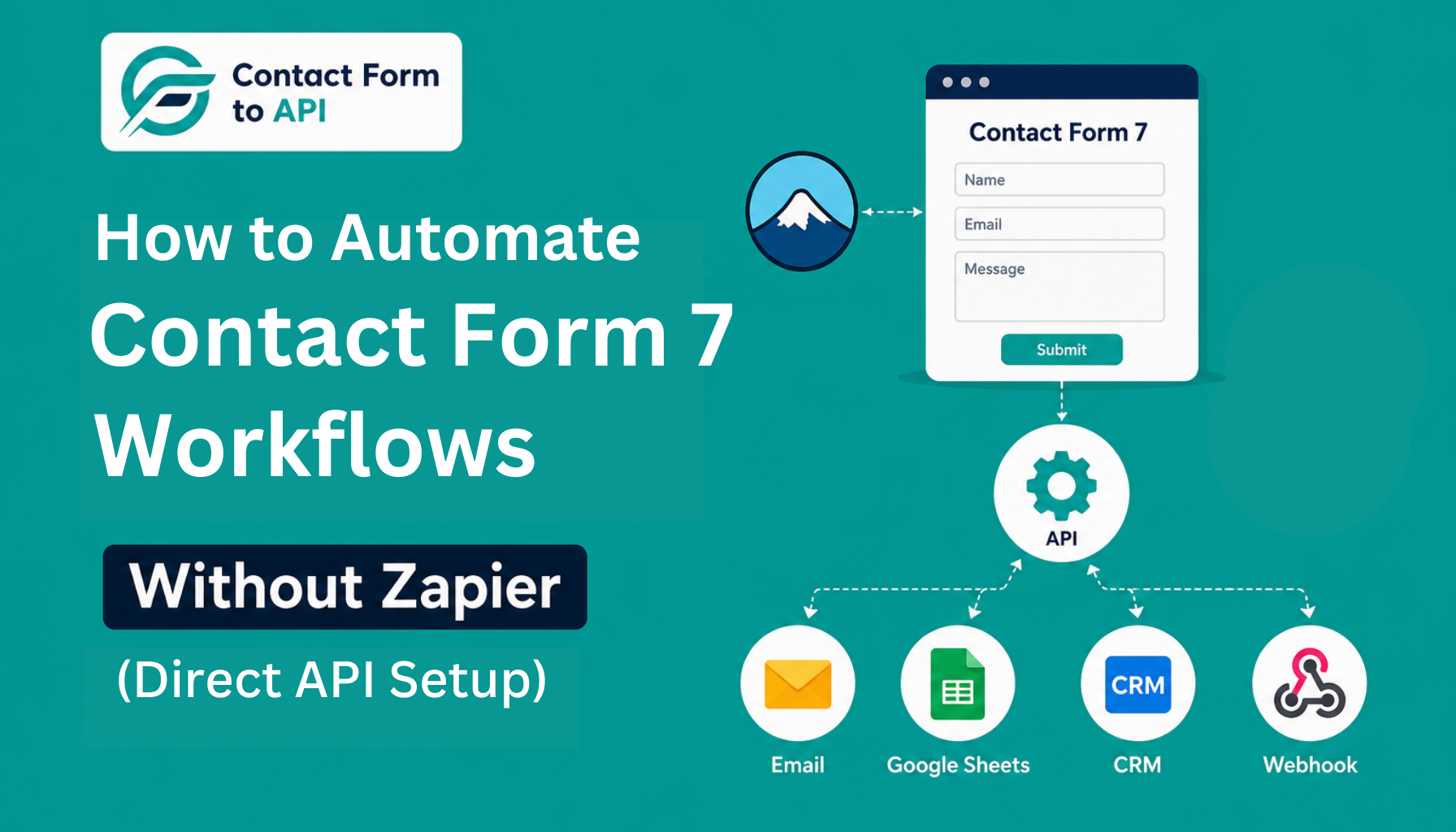
Contact Form 7 does not ship with native API integrations, so most people reach for Zapier to bridge the gap. Contact Form to API is a Contact Form 7 automation plugin that removes that middleware entirely by connecting Contact Form 7 directly to any API endpoint on submission. The setup involves installing the plugin, adding your endpoint, configuring authentication, and mapping your form fields to the JSON payload.
Contact Form 7 is used on over 9 million live websites globally and handles millions of form submissions every day across WordPress sites, but the form itself only does half the job. The other half is getting that submission data somewhere useful, into a CRM, a messaging tool, an email sequence, or an internal system, without someone manually copying it across.
For a long time, Zapier was the default answer to that problem. Drop it in the middle, connect your form on one side and your destination on the other, and the data moves. It works. But “it works” and “it is the right tool for the job” are not always the same thing, and for a straightforward Contact Form 7 workflow that runs the same way every single time, the relay model starts to show its limits.
This blog is not about whether Zapier is good or bad. It is about a specific situation: you have a Contact Form 7 form, you know where you want the data to go, and you want to automate Contact Form 7 workflows without Zapier or routing submissions through a third-party platform. What that setup actually looks like, which plugin handles it, and how to get it running is exactly what this covers.
Why Developers and Agency Owners Are Dropping Zapier for Contact Form 7 Workflows
The conversation is often less about swapping tools and more about reducing dependencies in a workflow that already has a fixed destination. What many developers actually want from a CF7 Zapier alternative is a more direct submission flow with fewer external services involved.
The friction usually comes down to three things.
- You are paying a recurring fee for a workflow that has not changed in months and does not need human intervention to run.
- Task limits create a hidden failure mode where submission spikes quietly push you over your plan allowance and data stops flowing without any visible error.
- And every time a Contact Form 7 submission has to travel through a third-party relay before reaching its destination, you have added a dependency that can break independently of your site or your CRM.
Zapier is no doubt a good choice, but for a stable, repeating Contact Form 7 workflow, it is comes to more about the infrastructure rather than the job that is required. This becomes even more noticeable when comparing the ongoing operational costs and maintenance trade-offs between Zapier and Contact Form to API.
What “Automating Contact Form 7 Without Zapier” Actually Means
Before getting into the setup, it helps to be precise about what changes when you remove Zapier from the picture.
The Zapier Model
When a visitor submits your Contact Form 7 form, the submission data is sent to Zapier’s servers. Zapier then reads that data, applies any mapping or logic you have configured inside its interface, and forwards it to your destination, whether that is a CRM, a spreadsheet, or a messaging tool.
Your form does not talk to your destination directly. Zapier is the go-between, and if anything in that chain stalls, your data stops.
The Direct Model
For developers focused on CF7 automation without Zapier, this direct architecture removes an entire dependency layer from the submission flow. With a direct API plugin, the form submission triggers a request that goes straight from your WordPress site to your destination’s API endpoint. There is no external platform processing it in between.
The plugin handles the field mapping, the authentication, and the payload construction on your server, and the data arrives at the destination in the same request cycle as the submission itself.
| Zapier Model | Direct Model | |
|---|---|---|
| Data path | Contact Form 7 → Zapier → Destination | Contact Form 7 → Destination |
| External dependency | Yes | No |
| Failure points | Form + Zapier + Destination | Form + Destination |
| Task limits | Yes | No |
How to Automate Contact Form 7 Workflow Without Zapier
This walkthrough uses a CRM API endpoint as the destination because it is the most common use case and gives you the clearest example of how to automate CF7 form submissions with no Zapier relay involved.
The same steps apply to any API target.
Step 1: Install and activate Contact Form to API
Download the plugin from your account, upload it through the WordPress plugin installer, and activate it. Once active, a new menu item will appear in your WordPress dashboard where all integration configuration lives.
Step 2: Create a new integration
Inside the plugin settings, click to add a new integration and give it a name that matches the form and destination you are connecting. You will then select the Contact Form 7 form you want to trigger this integration.
Step 3: Add your API endpoint URL
Paste the full API endpoint URL from your CRM or destination tool into the endpoint field. This is the URL that will receive the POST request every time your form is submitted, for example something like https://api.yourcrm.com/v1/contacts.
Step 4: Configure authentication
Select the authentication method your API requires, typically an API key in the request header or a Bearer token. Add the key name and value in the fields provided. The plugin passes this with every request so you do not need to handle it separately.
Step 5: Map your Contact Form 7 form fields to the JSON payload
This is where you tell the plugin which Contact Form 7 field maps to which key in the API payload. If your CRM expects {"first_name": "Jane", "email": "[email protected]"}, you map the Contact Form 7 field tagged your-name to first_name and your-email to email. Add a row for each field your destination requires.
Step 6: Save and test via API logs
Save the integration, then submit a test entry through your form. The plugin’s API log will show you the outgoing request, the payload it sent, and the response your destination returned. If the response is a success code, the integration is live and working.
Four Contact Form 7 Workflows You Can Automate Without Zapier
1. Contact Form 7 to CRM: Send Leads Directly Into Your CRM Without a Relay
When someone fills in a contact or lead form on your site, that data needs to get into your CRM fast. The Zapier version of this route goes through an external server, which means a delay and a dependency on Zapier’s uptime holding steady at the exact moment a lead comes in.
With a direct integration, the submission fires a POST request straight to your CRM’s API, the contact is created immediately, and nothing external is involved.
See the Contact Form 7 CRM integration guide for a full walkthrough of this setup.
2. Contact Form 7 to WhatsApp: Fire an Instant WhatsApp Alert When a Form Is Submitted
This workflow is useful for agencies and small teams who want a real-time notification in WhatsApp every time a new submission comes in. Using Zapier for this adds a relay step that can delay the message or fail silently when task limits are hit during a busy period.
A direct connection through the Twilio API fires the WhatsApp message as part of the same submission event, making it possible to automate CF7 form submissions with no Zapier dependency in the middle. This approach is commonly used in Contact Form 7 to WhatsApp automation setups where delivery speed and reliability are critical.
3. Contact Form 7 to Webhook: Route Submissions to Internal Tools or Custom Endpoints
If you are sending Contact Form 7 submission data to an internal tool, a custom-built endpoint, or a platform that accepts raw webhooks, running that through Zapier means your internal systems have an external dependency they do not need.
A direct webhook integration sends the payload straight from your WordPress site to the endpoint you specify, with full control over the request headers and body structure. For a broader look at how to approach this kind of setup, the no-code Contact Form 7 automation methods page covers the landscape in more detail.
4. Contact Form 7 to Email Marketing Sequence: Trigger a Contact or Tag in Your Email Tool Directly
When a form submission should enroll someone in an email sequence or apply a tag in your email marketing platform, the timing matters. Zapier queues these tasks and processes them through its own scheduler, which can introduce a lag between the submission and the contact appearing in your list.
A direct API connection creates or tags the contact in real time, the moment the form is submitted, so your automation sequences trigger without delay.
When Zapier Still Makes Sense for Contact Form 7
There are situations where Zapier is genuinely the right choice, and it is worth being clear about that. If you need a single form submission to fan out across five or six different apps in a specific sequence with conditional logic at each step, Zapier’s visual builder handles that better than a direct API plugin is designed to.
Short-term campaign setups where you need something running in an hour and do not want to touch code are also a fair use case.
Non-technical clients who need to manage or adjust automations themselves without developer access will find Zapier’s interface significantly more approachable. If you have decided Zapier is the right fit for your situation, the guide on how to connect Contact Form 7 to Zapier will walk you through that setup.
Closing Phrase
Most teams looking to automate Contact Form 7 workflows without Zapier are not dealing with overly complex infrastructure. A form is submitted, data needs to get somewhere, and that should be the end of it. The reason Zapier became the default for so long is not because the job required it, but because there was not a cleaner option sitting inside WordPress ready to handle it.
Contact Form to API changes that by functioning as a direct Contact Form 7 automation plugin inside WordPress itself. Instead of building a chain that runs through an external platform, the plugin puts the connection directly between your form and your destination. Your CRM gets the lead the moment the form submits. Your WhatsApp alert fires in the same request cycle. Your webhook receives clean, structured data without touching a third-party server. The integration lives inside your WordPress site, it runs on your terms, and there is no external service that can quietly drop your submissions when you are not looking.
If you are managing multiple client sites or running a WordPress build where form data reliability actually matters, removing the middleware is not just a cost decision. It is a structural one. Every unnecessary dependency in a workflow is a future incident waiting to happen, and Contact Form to API is built specifically to take that dependency out of the picture.
The setup takes less time than configuring a Zap. The logs tell you exactly what was sent and what came back. And once it is running, it runs without needing a subscription to a platform that was never really part of your stack to begin with.
Frequently Asked Questions
1. Can I automate Contact Form 7 workflows without Zapier?
Yes. Contact Form to API connects Contact Form 7 directly to any API endpoint without routing data through a third-party automation platform. You configure the endpoint, authentication, and field mapping inside WordPress, and the integration runs on submission with no external relay.
2. What is the best Contact Form 7 automation plugin without Zapier?
Contact Form to API is built specifically for this use case. It supports custom API endpoints, authentication headers, JSON field mapping, and built-in logging so you can verify that each submission is reaching its destination correctly.
3. Is there a free way to automate Contact Form 7 workflows?
There is a free version of Contact Form to API that covers basic API connections. The PRO version adds authentication options, advanced field mapping, and logging features that most real-world integrations require. What you remove from the equation entirely, regardless of which version you use, is the recurring cost of a middleware subscription.
4. What happens to my Contact Form 7 data if Zapier goes down?
If Zapier experiences an outage or your account hits its task limit during a busy period, submissions that were meant to pass through Zapier do not reach their destination. In most cases there is no visible error on the front end, which means data loss can go unnoticed. A direct integration removes Zapier from the path entirely, so your submission data is not dependent on a third-party platform being available.
5. How is a direct API plugin different from Zapier for Contact Form 7?
Zapier sits between your form and your destination and processes data on its own infrastructure. A direct API plugin makes the connection from your WordPress server straight to the destination API, with no external platform in between. If you still want to understand the Zapier approach, the how to connect Contact Form 7 to Zapier tutorial covers it, and if you want a detailed breakdown of how the two approaches compare, the full cost and feature comparison between Zapier and the plugin covers that side of the question.
6. Is CF7 automation without Zapier reliable for production sites?
Yes, provided the destination API is stable and the integration is configured correctly. Direct API integrations reduce middleware dependencies and give developers more control over how Contact Form 7 submissions are processed and logged.


