


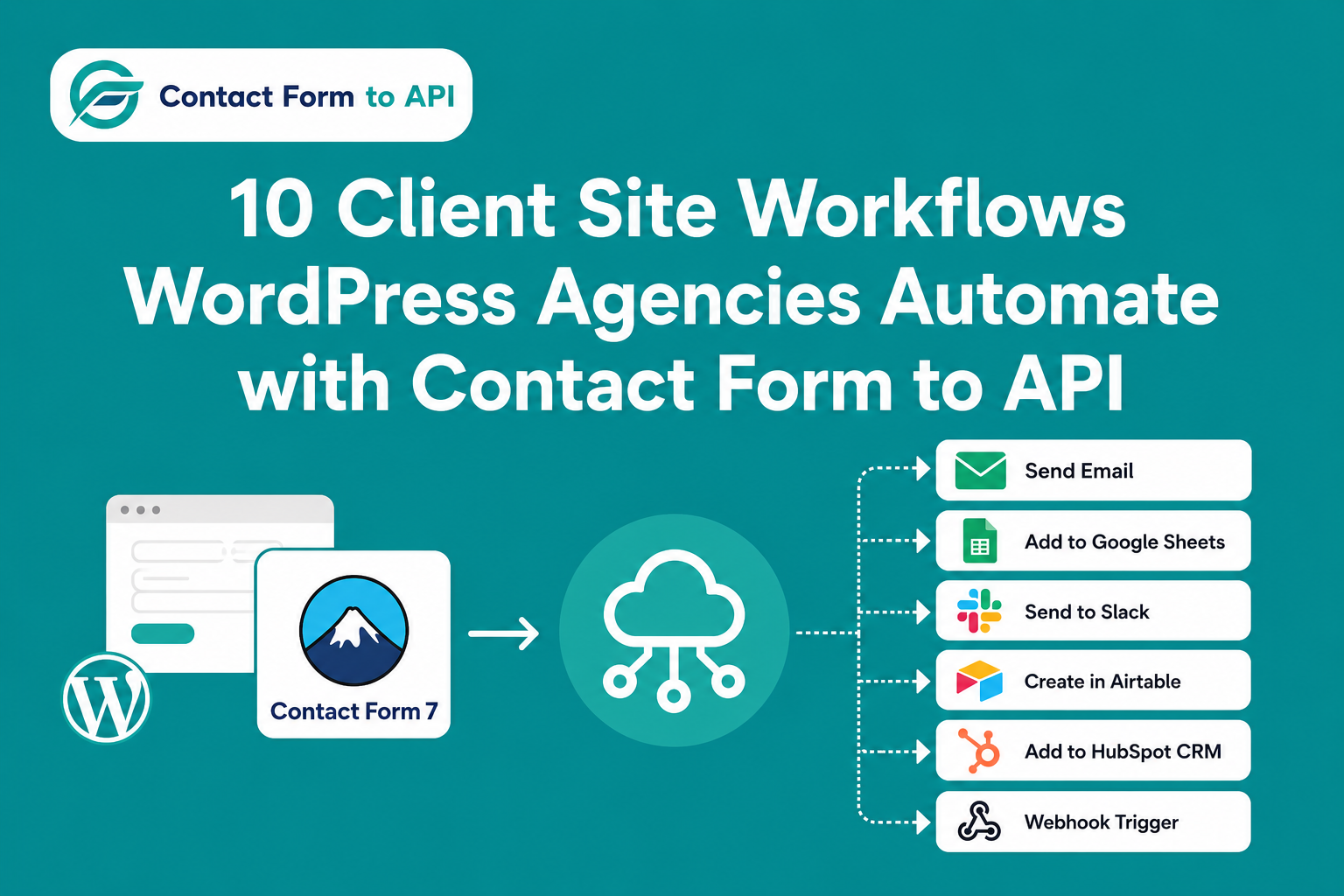
WordPress agencies manage dozens of client sites that rely on Contact Form 7 to capture leads and support requests. This post lists ten practical workflows that make CF7 automation for agencies simple. You will learn how to send form data directly to CRMs, spreadsheets, messaging apps, and helpdesks without Zapier or custom PHP. Each workflow is designed for quick deployment across multiple client sites.
Most agencies running Contact Form 7 on client sites still rely on email delivery for form submissions. A visitor fills out a contact form. The submission lands in an inbox. Nobody checks the inbox quickly enough. The lead goes cold. When you multiply this across ten, twenty, or fifty client sites, email-only delivery becomes a broken process that costs real revenue and damages client trust.
According to a Harvard Business Review research, companies that respond to leads within an hour are nearly 7 times more likely to qualify the lead than those that wait longer. Multiply that problem across 10, 20, or 50 client sites and the cost in lost conversions becomes hard to ignore.
This is where Contact Form to API fits in. Instead of routing every submission through email or paying per task on Zapier, the plugin sends CF7 form data directly to the destination system: HubSpot, Slack, Google Sheets, Freshdesk, Twilio, and more. Whether you need sales workflow automation to push leads into a CRM or real-time alerts for support tickets, the right setup removes manual copying entirely.
When you automate WordPress forms using Contact Form to API, you eliminate the middleman. The plugin lives inside the WordPress dashboard and fires a POST or GET request the moment someone hits submit. There is no external automation platform required. There are no per-task fees. You simply map the form fields to the destination endpoint once and let the data flow.
In this guide, we will walk through ten specific workflows that agencies configure for clients. Each example names the exact destination API and describes the concrete outcome.
A quick note before you read further: Contact Form to API works with Contact Form 7 only. It does not natively support other form plugins. We also have a dedicated plugin for WPForms that connects WPForms entries to your app of choice through API.
What Contact Form to API Actually Does (and Does Not Do)
Contact Form to API is a single-purpose wordpress automation plugin built specifically for Conta ct Form 7. It accepts CF7 form submissions and sends the data to external APIs through configurable HTTP requests. You set the method, the endpoint, the headers, and the field mapping inside the WordPress dashboard.
The key differentiator is that the plugin operates entirely within WordPress. You do not need a Zapier account, an n8n server, or a Make subscription to move a form submission into HubSpot or Google Sheets. For agencies, this means you can offer no code CF7 automation to clients who do not have the budget for enterprise workflow tools.
The licensing model is straightforward. You purchase the plugin once. There are no ongoing per-task fees and no limits on submission volume. This makes it ideal for agencies that manage high-traffic client sites and want predictable costs.
However, you should know what the plugin does not do. It is not a general-purpose automation platform. It cannot trigger workflows from non-CF7 events such as WooCommerce orders or user registrations. It does not replace a CRM or a helpdesk. It simply acts as the bridge between Contact Form 7 and the external system.
If a client needs complex branching logic, multi-step conditions, or connections to obscure APIs that the plugin does not yet support, a tool like n8n or Make may still be the better fit. Contact Form to API excels at one thing. It moves CF7 submission data to an endpoint quickly and reliably. Agencies should match the tool to the complexity of the job.
10 CF7 Workflows Agencies Configure for Clients
Workflow 1: CRM Lead Sync (HubSpot, Zoho, or Pipedrive)
Trigger: CF7 contact form or quote request submission
Destination: HubSpot Contacts API, Zoho CRM API, or Pipedrive Persons API
The most common request from clients is simple. They want every form submission to become a contact record inside their CRM. With this workflow, a standard CF7 contact form or quote request form triggers a direct API call to HubSpot Contacts API, Zoho CRM API, or Pipedrive Persons API. The moment a visitor hits submit, the plugin maps fields such as name, email, phone, and message to the matching CRM properties. A new contact record is created in real time with no manual import required.
Agency value: This is the starting point for most CF7 automation for agencies deployments. It eliminates the copy-paste routine between the inbox and the CRM that kills response time across client accounts. Field mapping is configured once inside the plugin settings and can be replicated on the next site with only the API credentials changed. If you want to see how this functions as lead automation from contact form data, the process is identical across all three platforms.
Also Read – How to Connect Contact Form 7 with Pipedrive
Workflow 2: Google Sheets Lead Log
Trigger: Any CF7 form submission
Destination: Google Sheets API (via direct API connection or webhook)
Not every client is ready for a full CRM. Some just need a shared spreadsheet where their team can see every enquiry in one place. This workflow sends CF7 submission data to the Google Sheets API. Each form submission appends a new row that includes a timestamp, the submitted form fields, and the source page URL.
Agency Value: The outcome is a simple, shareable lead register that requires no monthly software cost and no complex user training. It is especially popular with small service businesses and professional practices that are still deciding whether they need a dedicated CRM. For agencies, the setup takes minutes and gives the client immediate visibility into their inbound enquiries without any ongoing subscription fees.
Workflow 3: Slack New-Lead Notification
Trigger: CF7 form submission
Destination: Slack Incoming Webhooks API
Speed matters when a hot lead arrives. This workflow connects a CF7 contact form to the Slack Incoming Webhooks API. The moment a visitor submits the form, a formatted message appears in a designated Slack channel. The message can include all submitted fields such as name, email, phone, and the enquiry message.
Agency value: Sales teams and client account managers see the alert instantly without needing to monitor an email inbox. For agencies managing multiple client sites, this is a lightweight way to give clients real-time visibility into new enquiries. It takes very little configuration and works reliably even during high-traffic periods when email notifications might be delayed or filtered.
Workflow 4: WhatsApp Notification via Twilio
Trigger: CF7 form submission
Destination: Twilio WhatsApp API
Some clients respond faster on WhatsApp than on email. This workflow uses the Twilio WhatsApp API to send a message directly to the business owner or a team group chat every time a CF7 form is submitted. It works well for service businesses such as tradespeople, consultants, and clinics that need immediate awareness of new bookings or enquiries.
Agency value: The client will need their own Twilio account and an approved WhatsApp business number to receive messages. Once those are in place, the plugin pushes the submission data through Twilio in seconds. Agencies like this workflow because it meets clients where they already communicate and reduces the chance that an urgent lead sits unread in an email folder.
Also Read – How to Send CF7 Data to WhatsApp Automatically with Twilio API
Workflow 5: Freshdesk or Zendesk Helpdesk Ticket Creation
Trigger: CF7 support form, RMA form, or warranty claim form
Destination: Freshdesk Tickets API or Zendesk Tickets API
Clients that run support desks need form submissions to become tickets, not emails. This workflow sends CF7 data from a support ticket form, RMA form, or warranty claim form directly to the Freshdesk Tickets API or Zendesk Tickets API. A new ticket is created automatically and can be assigned to the correct department based on the form content.
Agency value: This removes the manual step of copying information out of email notifications and pasting it into a helpdesk system. For agencies, it is a reliable way to streamline client support operations without building custom middleware. The configuration is straightforward and uses standard API endpoints that most helpdesk administrators already understand.
Workflow 6: Email Marketing List Add (Mailchimp, Brevo, or Klaviyo)
Trigger: Newsletter signup or lead magnet form
Destination: Mailchimp Members API, Brevo Contacts API, or Klaviyo Profiles API
Many clients use contact forms to build their mailing list. This workflow connects a CF7 newsletter signup form or lead magnet form to the Mailchimp Members API, Brevo Contacts API, or Klaviyo Profiles API. The submitter is added to the correct audience or list immediately, and you can include tags for segmentation.
Agency Value: This turns every form submission into a list-building action with no manual CSV export. Agencies should note that the form must include appropriate opt-in language and consent checkboxes before enabling this workflow. Proper consent keeps the client compliant and protects their sender reputation. When configured correctly, this workflow is a direct way to boost conversions with automation and grow the client’s subscriber base passively.
Also Read – How to Connect Contact Form 7 to Mailchimp
Workflow 7: SMS Notification via Twilio
Trigger: High-urgency CF7 form (emergency callouts, time-sensitive bookings)
Destination: Twilio SMS API
For high-urgency enquiries such as emergency services or time-sensitive bookings, an SMS alert is often the fastest channel. This workflow sends a text message to the client or their team through the Twilio SMS API every time a CF7 form is submitted. The message includes key submission fields so the recipient can act immediately.
Agency Value: This is distinct from the WhatsApp workflow because it uses standard SMS protocols rather than the WhatsApp business platform. Agencies should remind clients that Twilio charges per message, so billing implications should be discussed upfront. Despite the cost, many clients prefer this for critical forms where a missed email is not an option and immediate awareness is worth the expense.
Workflow 8: Project Management Task Creation (ClickUp, Asana, or Monday.com)
Trigger: Project enquiry or intake form
Destination: ClickUp Tasks API, Asana Tasks API, or Monday.com Items API
Agencies that deliver custom projects can turn a CF7 enquiry form into a full project intake system. This workflow creates a new task inside ClickUp, Asana, or Monday.com through their respective APIs. The form submission maps directly to the task title, description, and assignee fields.
agency Value: Every inbound enquiry becomes a trackable task with a deadline and an owner. This prevents proposals and project requests from getting lost in email threads. For creative and development agencies, it bridges the gap between the client website and the internal delivery workflow without any custom code or external automation platform.
Workflow 9: Internal Webhook or Custom API Endpoint
Trigger: Any CF7 form
Destination: Any custom REST API endpoint
Some clients run proprietary systems, legacy databases, or custom ERPs that do not appear on standard integration lists. This workflow acts as an escape hatch. It POSTs CF7 submission data to any custom REST API endpoint that the client controls. As long as the destination accepts HTTP requests, the plugin can deliver the payload.
Agency Value: This is the broadest possible use case and is ideal for enterprise clients or niche industries with bespoke software. Agencies should confirm the destination API schema with the client’s development team before configuring the field mapping. It requires no custom PHP inside WordPress, but you do need accurate endpoint documentation from the receiving system to ensure the data is processed correctly.
Also Read – ActiveCampaign Webhook Integration: Connect Contact Form 7 Webhook Without Zapier
Workflow 10: Multi-Destination Fan-Out (CRM, Slack, and Sheets at once)
Trigger: Single CF7 form submission
Destination: Multiple APIs configured to receive the same submission
The highest-value deployment for many agencies is a single submission that triggers multiple actions at once. A visitor submits a standard CF7 contact form. The plugin then creates a lead record in the CRM, posts an alert to a Slack channel, and logs the data to Google Sheets. All three actions fire from one event.
Agency Value: This replaces what would otherwise require three separate Zaps in an external automation platform. It reduces complexity and removes the per-task fees that scale unpredictably. Agencies should verify whether their license supports multiple simultaneous destinations, as this functionality may require a Pro plan. When available, it is the most efficient way to give clients complete visibility across every channel from a single form submission.
Why Agencies Use Contact Form to API Instead of Zapier or n8n
Agencies evaluating a WordPress Zapier alternative often ask how Contact Form to API compares to the bigger names in automation. The honest answer is that it depends on the client need.
Zapier is excellent at connecting hundreds of apps, but its per-task pricing scales unpredictably for agencies with high-volume client forms. If a client receives five hundred submissions per month and each one triggers three actions, the task count climbs quickly. Contact Form to API is a one-time plugin purchase with no task limits. You configure the API call inside WordPress and you never worry about tiered billing.
n8n is more powerful for complex multi-step logic and branching conditions. However, it requires self-hosted infrastructure or a cloud account and ongoing technical maintenance outside WordPress. Contact Form to API is zero-infrastructure. It lives entirely inside the plugin settings and requires no external server.
Tools such as OttoKit excel at plugin-to-plugin WordPress automation. They can connect WooCommerce, LearnDash, and BuddyPress without leaving the site. Contact Form to API is purpose-built for a different job. It moves CF7 submission data directly to external APIs such as HubSpot, Freshdesk, or Twilio. For form-to-external-API workflows, it is more direct.
When should you still pick Zapier or n8n? If the workflow requires branching logic based on field values, multiple non-form triggers, delays, or integrations with obscure SaaS tools not yet covered by Contact Form to API, a general workflow platform remains the right choice.
The honest answer is that many agencies end up using both, Contact Form to API for the high-volume, repeatable form-to-API jobs, and Zapier or n8n for the handful of complex edge cases per client. This split keeps Zapier task costs low while still handling everything.
Also Read – How to Easily Connect Contact Form 7 With Zapier in Real Time
How Agencies Scale These Workflows Across Client Sites
The real power of CF7 automation for agencies appears when you move from one client site to many. After you configure the CRM lead sync for your first client, the same pattern repeats everywhere. You copy the API endpoint structure, adjust the field mapping to match the new form fields, and swap in the client’s unique API key. The heavy lifting is already done.
This repeatable configuration pattern means you do not need to rebuild the integration from scratch on every new site. An agency can standardize a HubSpot lead sync, a Slack alert, or a Google Sheets log as a packaged service offering. New client onboarding becomes faster because the workflow template exists and the destination API does not change.
If the plugin supports configuration export and import, you can move settings between sites in seconds. Even if it does not offer a native multi-site configuration tool, the setup is simple enough that a junior developer can replicate it using clear endpoint documentation. The value is in the repeatable process, not in a feature that may or may not exist.
From a business model perspective, agencies can productize this easily. You can list CF7 API integrations as a fixed-line service on your proposal. Clients pay a one-time setup fee. You deliver the connection in an afternoon. There is no ongoing SaaS cost to inflate your overhead, and the client receives an integration that would otherwise require custom PHP or an expensive automation subscription.
This is how wordpress workflow automation becomes a profit center rather than a cost center. You maintain full control over the stack. The client gets a reliable data flow. And every new site reinforces the same clean deployment pattern that your team can execute quickly.
Frequently Asked Questions
1. What is CF7 automation for agencies?
CF7 automation for agencies is the practice of using Contact Form 7 submissions as triggers for automated actions across client sites. Instead of delivering form data only to an email inbox, agencies configure the form to create CRM leads, post Slack alerts, log data to Google Sheets, or open helpdesk tickets automatically. This removes manual data entry and removes the need for third-party automation tools such as Zapier. Contact Form to API is a WordPress plugin built specifically for this purpose. It allows agencies to configure form-to-API workflows directly inside the WordPress dashboard without writing custom PHP. The result is a faster, more reliable handoff between the website and the client’s operational tools.
2. What are examples of automated workflow solutions for WordPress?
Common automated workflow solutions for WordPress include sending CF7 form submissions to a CRM such as HubSpot or Zoho in real time, logging form entries to Google Sheets, posting Slack notifications on new enquiries, creating helpdesk tickets in Freshdesk or Zendesk, adding subscribers to Mailchimp or Brevo, and sending WhatsApp or SMS alerts via Twilio. Contact Form to API enables all of these workflows through a single plugin configured inside the WordPress dashboard. No third-party automation platform is required. Each workflow uses a direct API connection, so the data moves immediately and accurately from the form to the destination system without any intermediary delay.
3. How do you automate a sales process starting from a contact form?
When a visitor submits a Contact Form 7 form, Contact Form to API intercepts the submission data and sends it through a configured API request directly to the CRM of your choice. Fields from the form such as name, email, phone, and message are mapped to the corresponding CRM fields. The result is a new lead record that appears in the CRM the moment the form is submitted. There is no manual entry, no email forwarding, and no middleman. Sales teams can follow up within seconds rather than hours. Agencies can replicate this exact setup across every client site that runs Contact Form 7, making it a standard part of their deployment package.
4. What is the best free WordPress automation plugin?
The answer depends on what you are trying to automate. For plugin-to-plugin workflows such as WooCommerce to Mailchimp or LearnDash to BuddyPress, AutomatorWP are strong free options. For Contact Form 7 submissions sent directly to external APIs such as CRMs, helpdesks, spreadsheets, or messaging platforms, Contact Form to API is purpose-built for this use case. A free version is available with core functionality. The Pro version unlocks additional API destinations and advanced field mapping options. You should evaluate the destination systems your clients use before choosing the plugin, as the best tool is the one that connects to their existing stack.
5. What CRM has the best workflow automation for WordPress contact forms?
HubSpot, Zoho CRM, and Pipedrive all have well-documented REST APIs that Contact Form to API can connect to directly from CF7. HubSpot is popular with agencies because of its free tier and strong lead management features. Zoho CRM suits clients who already use the Zoho suite for other business functions. Pipedrive is preferred by sales-first teams that want a visual pipeline. The plugin supports any CRM with an accessible API endpoint. The choice depends on the client’s existing stack and budget, not on plugin limitations. You should verify the supported CRM list against your client’s requirements before deployment to ensure a smooth integration.
6. Can n8n be used with WordPress for form automation?
Yes. n8n can receive CF7 form submissions via webhook and route them to any downstream service. However, n8n requires self-hosted infrastructure or an n8n cloud account and technical knowledge to configure and maintain. It is not managed within the WordPress dashboard. Contact Form to API is the WordPress-native alternative. It handles CF7-to-API routing entirely within the plugin settings, requires no external server, and is suitable for agencies that want to deploy and maintain integrations across client sites without adding infrastructure overhead. For simple, high-volume form routing, the plugin is often the more practical choice.


