


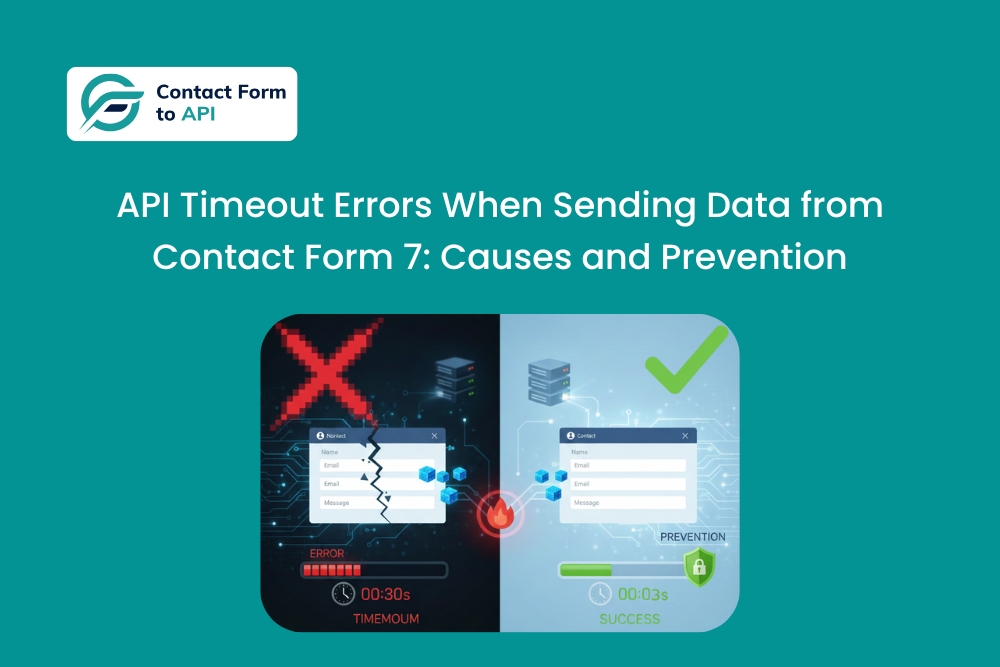
What went wrong?
If you run a small agency, you probably trust your form automations more than you should.
Not because you are careless, but because everything looks stable. Submissions go through. Confirmation messages show up. The CRM has records. No one complains. On the surface, the system feels solid enough to stop thinking about.
The problem is that timeouts rarely announce themselves. They do not throw obvious errors. They do not always fail consistently. They sit quietly in the background, shaving off a few submissions here and there, especially when traffic spikes, payloads grow, or external systems slow down.
When teams eventually start asking why certain leads never arrived, the answer often turns out to be an API timeout that was never designed for, monitored, or stress-tested.
This article breaks down what actually happens when Contact Form 7 submissions time out while sending data to external APIs, why this is common in real agency setups, and how to design your integrations so they stay reliable under real-world conditions, not just in ideal ones.
Why does this happen in real projects?
Timeouts are rarely caused by a single obvious mistake. They usually show up when several reasonable decisions combine in an unfortunate way.
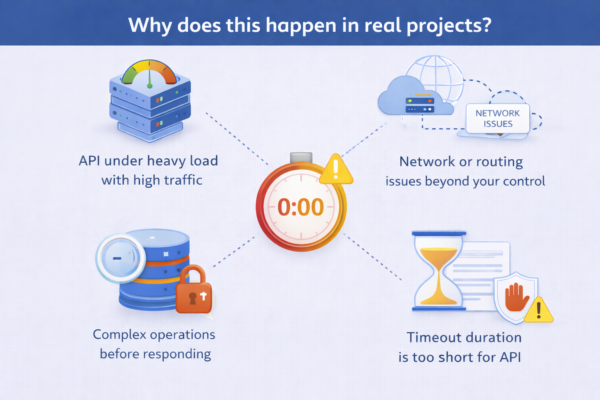
The external API does more work than you think
Many APIs look simple on paper. A single endpoint. A clean response. But behind that endpoint, the system might be doing a lot.
For example, a CRM API might:
- Check for duplicates
- Normalize phone numbers
- Trigger internal workflows
- Assign owners
- Run validation rules
All of that can happen before the API sends a response back. If the system is under load or poorly optimized, response times increase. WordPress, however, does not wait forever. WordPress itself enforces request time limits when sending data to external APIs, which means even a slightly slow response can cause a submission to fail silently.
We often see this with CRMs and internal tools that were never designed for real-time form submissions at scale.
Payloads grow over time
This is a very common agency scenario.
You start with a simple form. Name, email, message. Everything works perfectly.
Then a client asks for:
- A few extra fields
- Conditional sections
- File uploads
- Hidden fields for tracking
Suddenly, the JSON payload sent by Contact Form 7 to Any API is much larger. Serialization takes longer. Validation takes longer. Processing takes longer.
No one changed the integration logic, but the request now pushes the system closer to timeout limits.
Server limits you did not configure yourself
As an agency owner working with a remote dev team, you often inherit hosting decisions.
The site might be on shared hosting. Or a managed WordPress plan with conservative execution limits. Or a custom VPS where defaults were never tuned.
PHP execution time, HTTP request timeouts, and firewall rules all play a role here. When these limits are too low, even a reasonably fast API can get cut off.
The frustrating part is that this often shows up only under real traffic, not during testing.
Network and environment mismatches
We have seen timeouts caused by nothing more than geography.
A WordPress site hosted in one region sends API requests to a service hosted halfway across the world. Add DNS resolution delays and security inspection layers, and response times creep up.
Everything technically works. It is just slow enough to fail occasionally.
Those occasional failures are exactly what make this issue hard to trust and even harder to debug.
How Contact Form 7 to Any API fits into this
Contact Form 7 to Any API sends API requests at the moment a form is submitted. This is intentional.
It ensures that:
- Data is sent immediately
- Errors are visible during submission
- You are not relying on background jobs that may fail silently
However, this also means the API interaction must be designed with real-world timing constraints in mind.
The plugin is not buffering or queueing requests by default. If the external system is slow or overloaded, the request can time out.
From experience, this is rarely a limitation of Contact Form 7 to Any API itself. It is almost always a system design issue around the API being called.
Code-level concerns agency owners should watch for
Even if you are not writing the code yourself, there are a few patterns worth understanding when reviewing work from a remote dev team.
Heavy endpoints used for simple intake
If your developer connects the form directly to an endpoint that triggers complex workflows, you are increasing the risk of timeouts.
A better approach is often to send form data to a lightweight intake endpoint, then let the external system process it asynchronously.
This is a design decision, not a plugin setting.
Sending unnecessary data “just in case”
Developers sometimes map every available field because “it might be useful later”.
This bloats payloads and slows processing. Encourage intentional mapping. Send what is required. Nothing more.
Multiple workflows chained together
One form submission triggering multiple API calls or conditional workflows increases total execution time.
This does not always break immediately, but it pushes the system closer to failure as traffic grows.
What breaks if you do not address timeouts?
Timeouts create the worst kind of failure for agencies.
They do not always generate errors. They do not always leave logs. They surface weeks later as missing records, unhappy clients, or awkward conversations with sales teams.
From experience, agencies lose confidence in their automation setups long before they identify timeouts as the root cause.
This also leads to band-aid solutions like manual exports, duplicate tools, or unnecessary middleware, all of which add cost and complexity.
If your submissions reach the API but no data appears, we have explored that problem in more detail. And if the failures are related to credentials or permissions instead, this article covers that separately.
When should you proactively think about this?
You should take API timeouts seriously if:
- Your agency manages lead-driven websites
- You work with CRMs or internal APIs
- Your forms evolve over time
- You rely on automation for revenue-critical flows
Timeouts are not edge cases. They are a natural consequence of growth and complexity. Handled early, they remain invisible. Ignored, they quietly erode trust in your systems.
For agencies, preventing them is not just a technical concern. It is a reliability promise to your clients.


