


Introduction
This setup guide shows you how to send Contact Form 7 submissions directly to Freshsales CRM using the CF7 to Any API PRO plugin and Freshsales REST API. The plugin handles the authenticated HTTP request and automatically creates contacts inside Freshsales. Setup takes less than 5 minutes, requires no coding, and works with both new and existing Contact Form 7 forms. By the end, every CF7 submission will create a contact in Freshsales automatically.
Contact Form 7 is commonly used to collect leads, inquiries, quote requests, bookings, and support requests on WordPress websites. By integrating it with Freshsales, businesses can automate lead capture and ensure that form submissions are sent directly to their CRM instead of relying on email notifications or manual data entry.
With the Contact Form to API plugin and Freshsales integration, businesses can send CF7 data to Freshsales automatically through authenticated API requests triggered after each form submission. This setup makes it possible to create contacts in Freshsales for sales inquiries, customer onboarding, support requests, website lead generation, and other business workflows while continuing to use existing Contact Form 7 forms.
Watch the Video Tutorial: CF7 with Freshsales CRM Integration (Step-by-Step)
Before following the written steps, you can watch the complete integration setup in this quick video tutorial.
Step 1: Sign in to Your Freshsales Account
Log in to your Freshsales dashboard. You’ll need access to the API documentation and your API key.
Step 2: Open WordPress
Log in to your WordPress admin dashboard where Contact Form 7 and Contact Form to Any API are installed.
Step 3: Create a New Integration
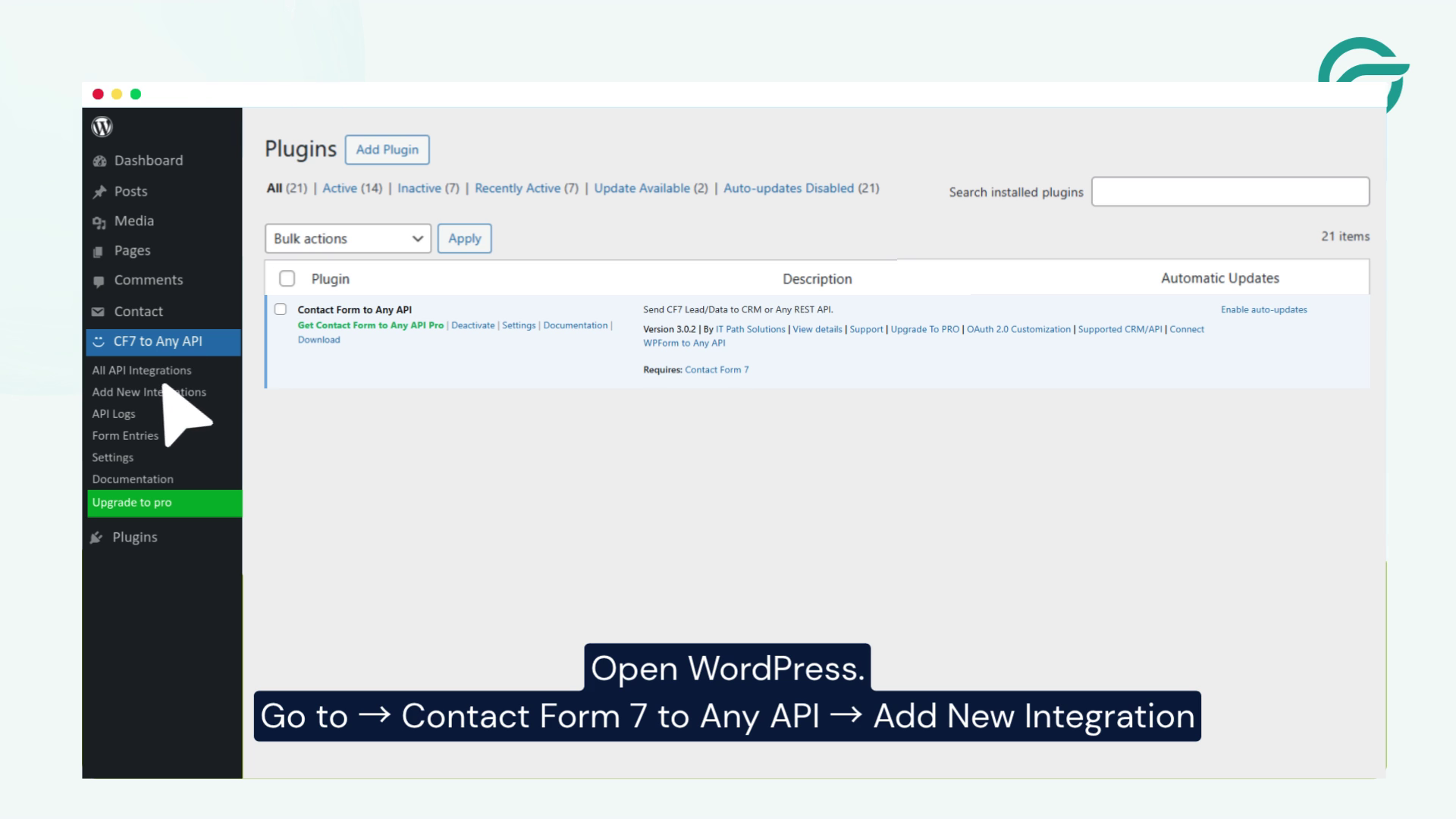
Navigate to:
Contact Form to Any API → Add New Integration
This will open the integration setup wizard.
Step 4: Add an Integration Name
Give your integration a descriptive title.
Example:
Freshsales Integration
This helps you manage multiple integrations easily.
Step 5: Copy the Freshsales API Endpoint URL
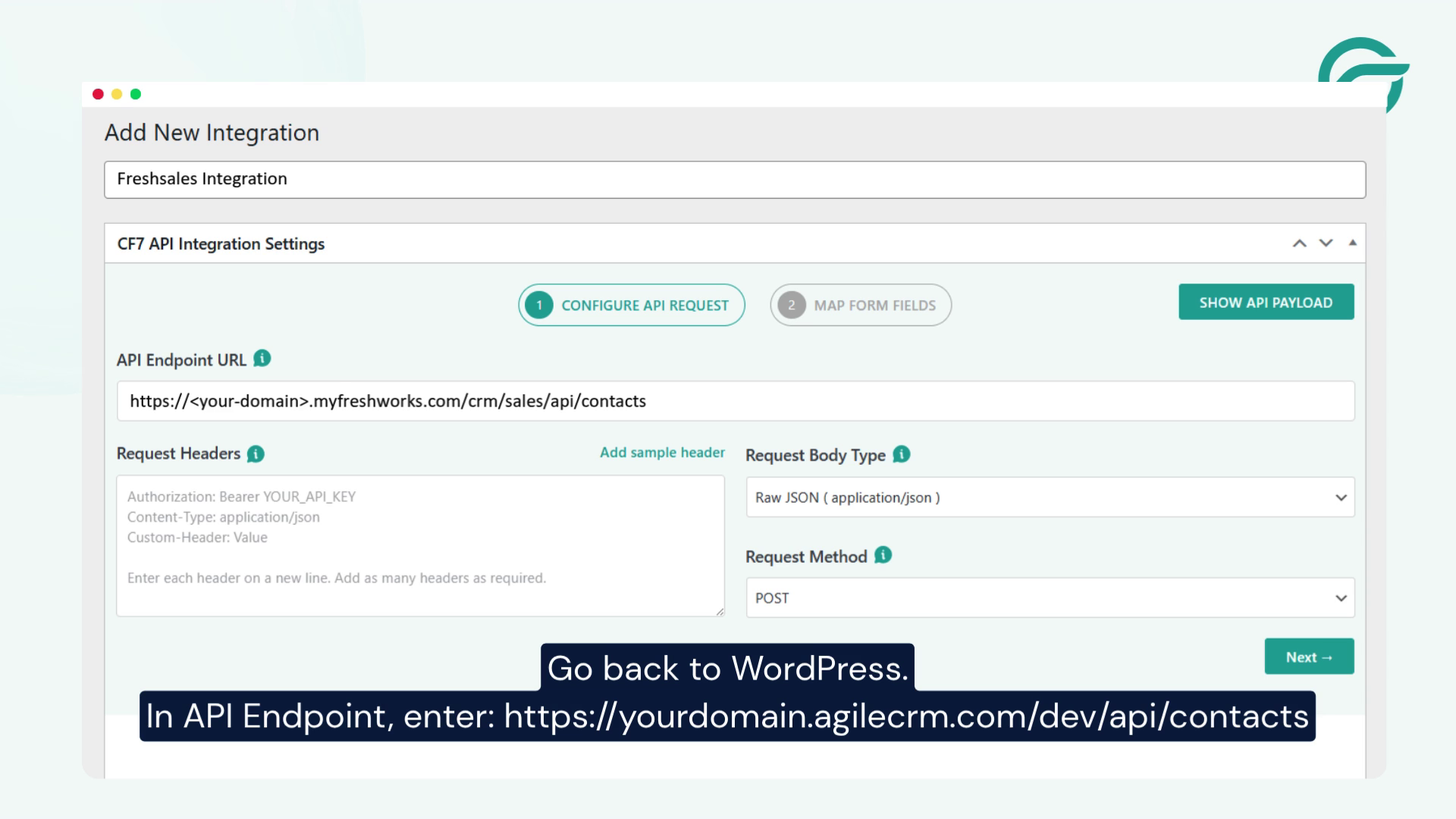
From your Freshsales account, locate the API endpoint for creating contacts.
Example endpoint:
https://yourdomain.myfreshworks.com/crm/sales/api/contacts
Copy the endpoint URL.
Step 6: Paste the API Endpoint Into WordPress
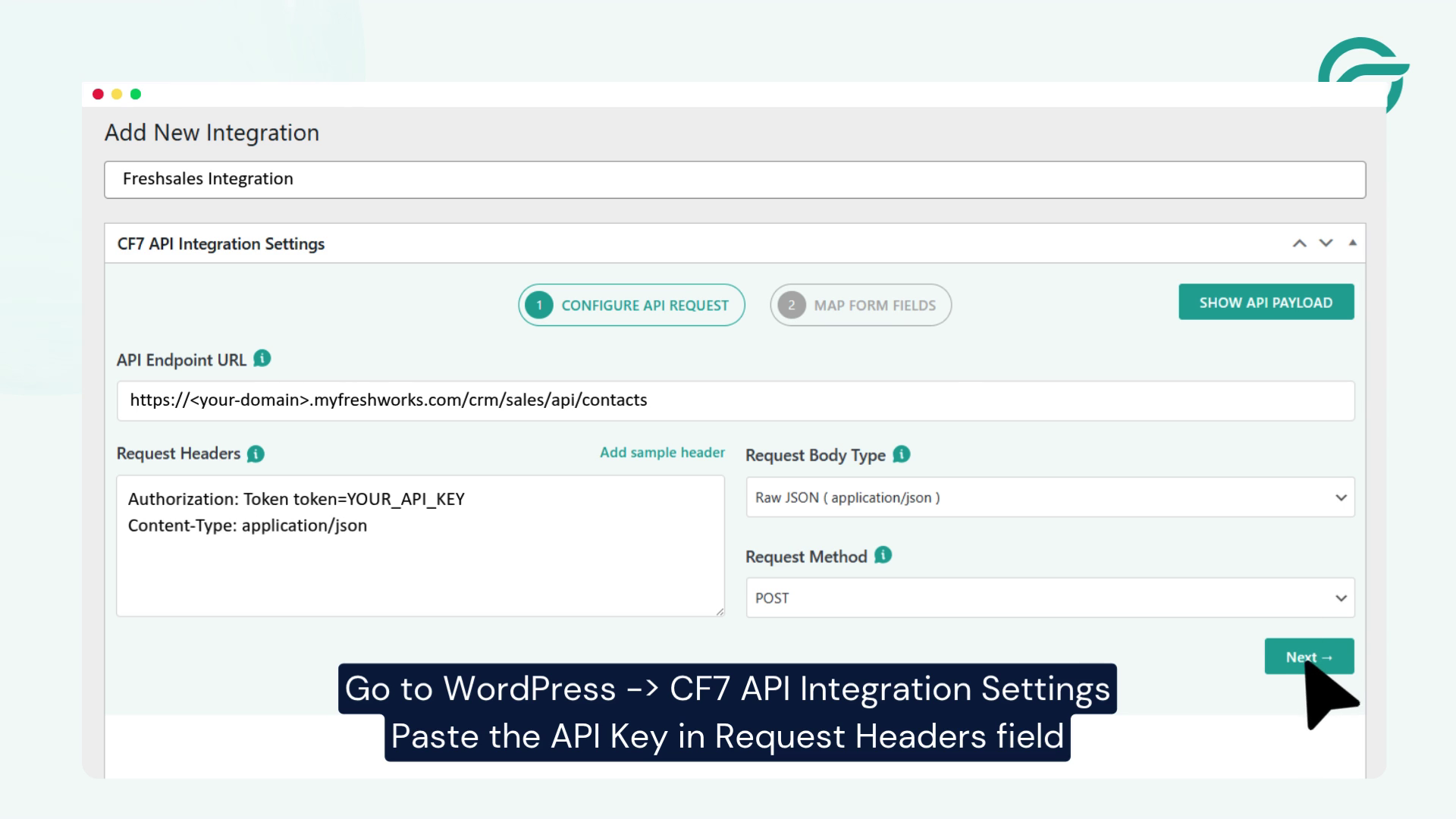
Return to WordPress and paste the endpoint URL into the API Endpoint URL field.
The request method should be:
POST
Step 7: Get Your Freshsales API Key
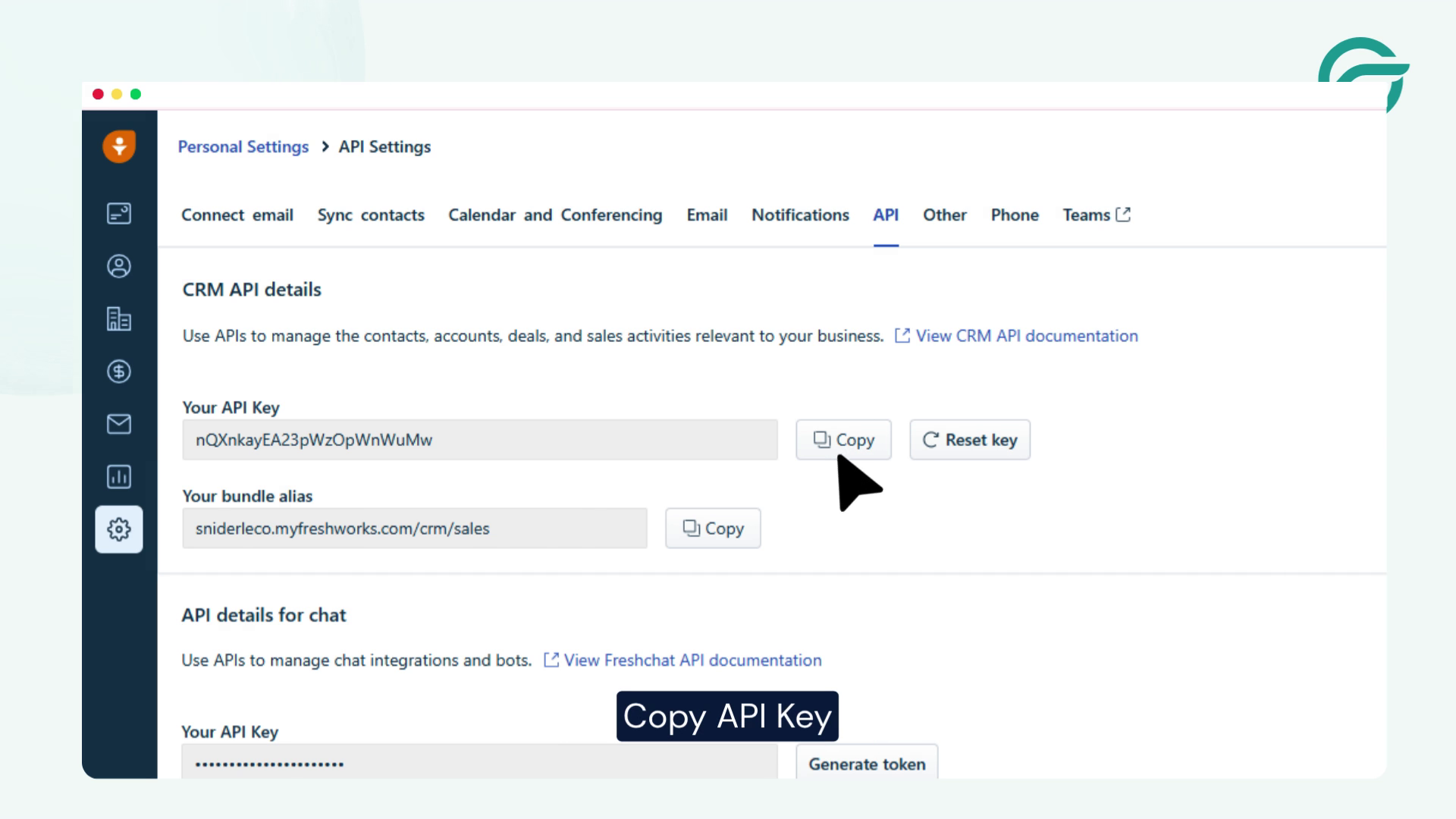
In Freshsales:
Profile Settings → API Key
Copy your API key.
Step 8: Configure Authentication
Inside Contact Form to Any API:
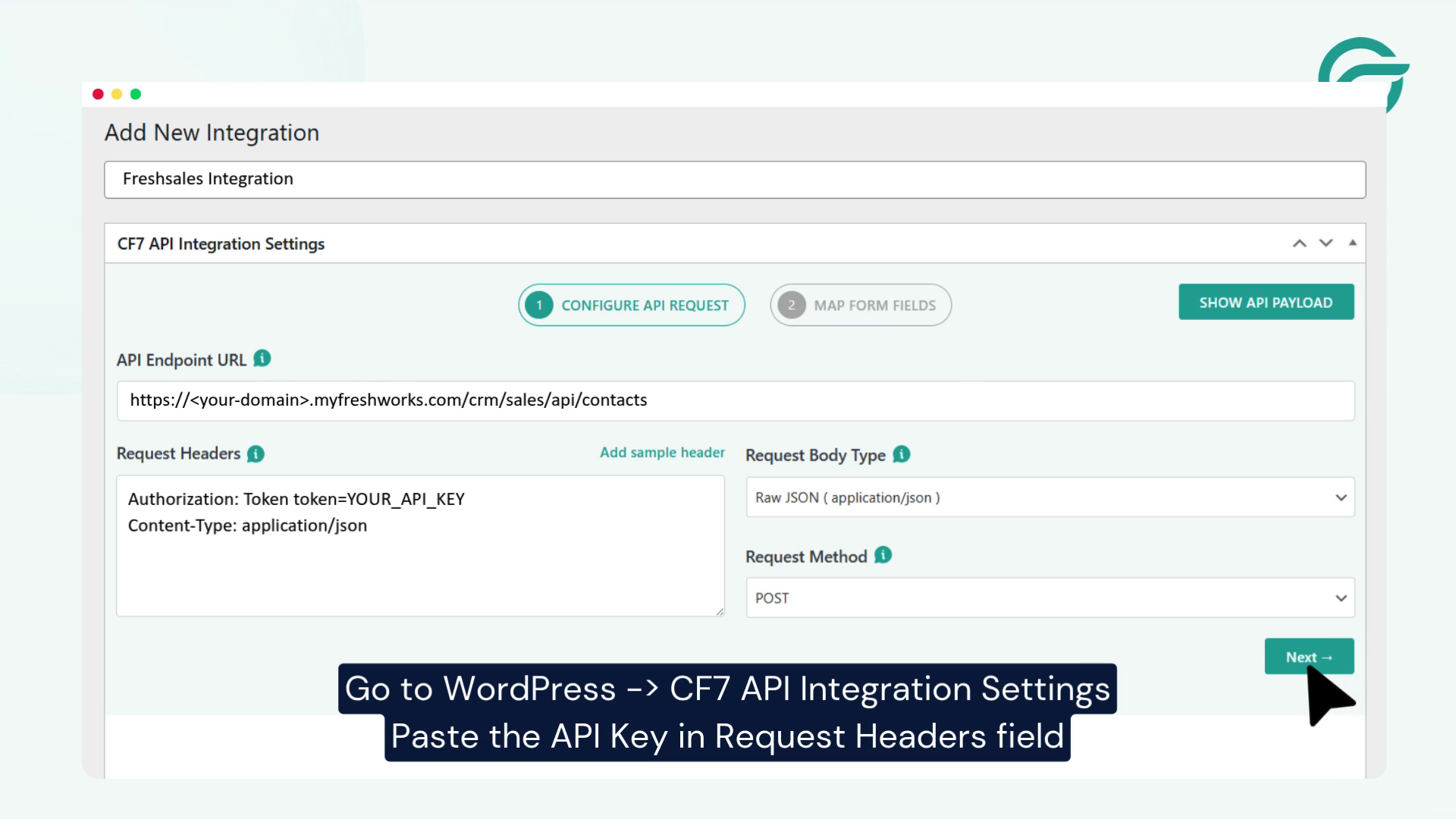
- Open Authentication Settings
- Select Bearer Token
- Paste your Freshsales API key
This allows WordPress to authenticate requests with Freshsales securely.
Step 9: Continue to Field Mapping
Click the Next button to configure your form fields.
Select your Contact Form 7 form.
Step 10: Map Contact Form Fields to Freshsales Fields
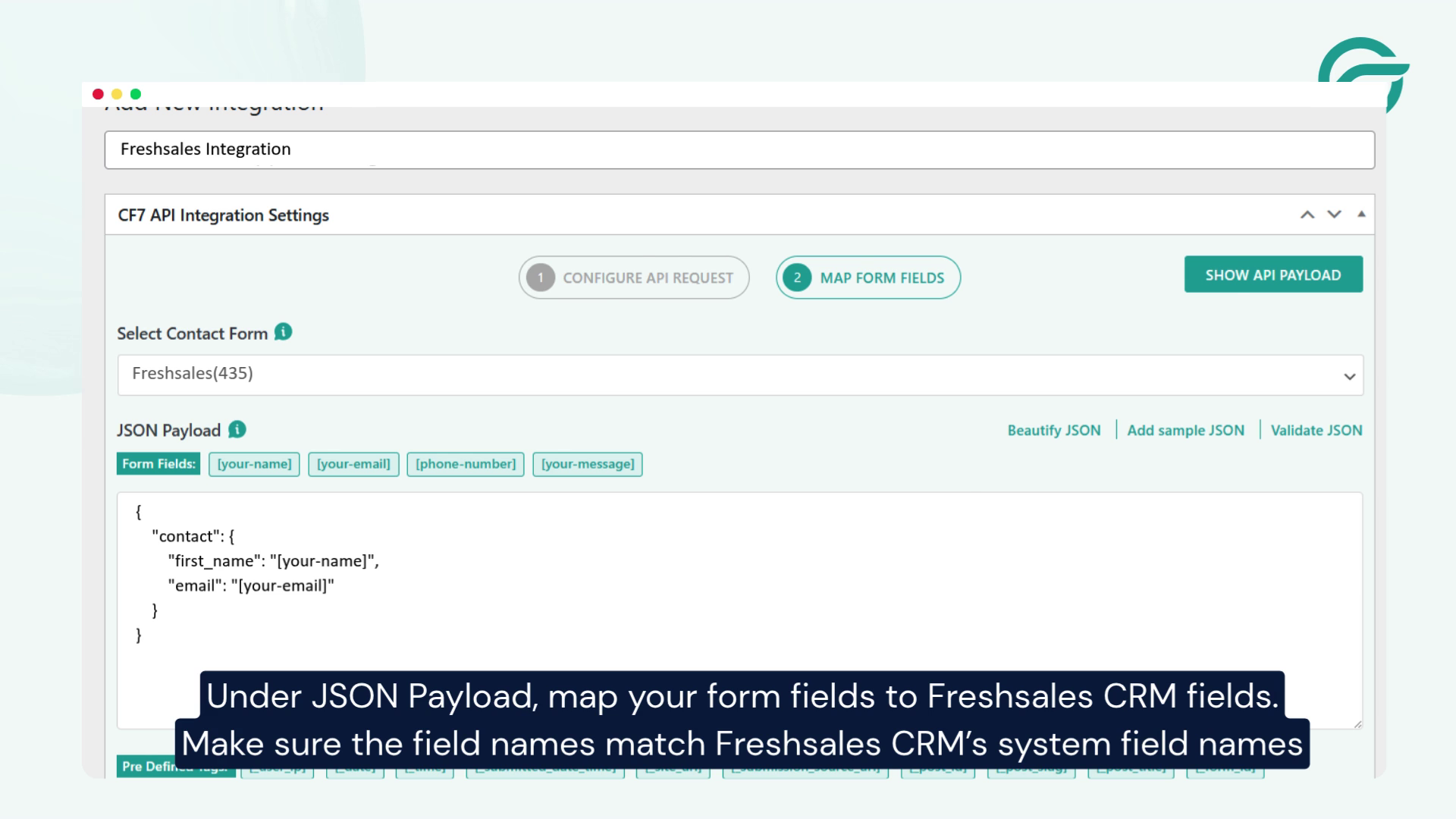
Under JSON Payload, map your form fields to Freshsales contact fields.
Example mapping:
First Name -> first_name
Last Name -> last_name
Email -> email
Phone -> mobile_number
Make sure the field names match Freshsales system fields exactly.
Step 11: Submit a Test Entry
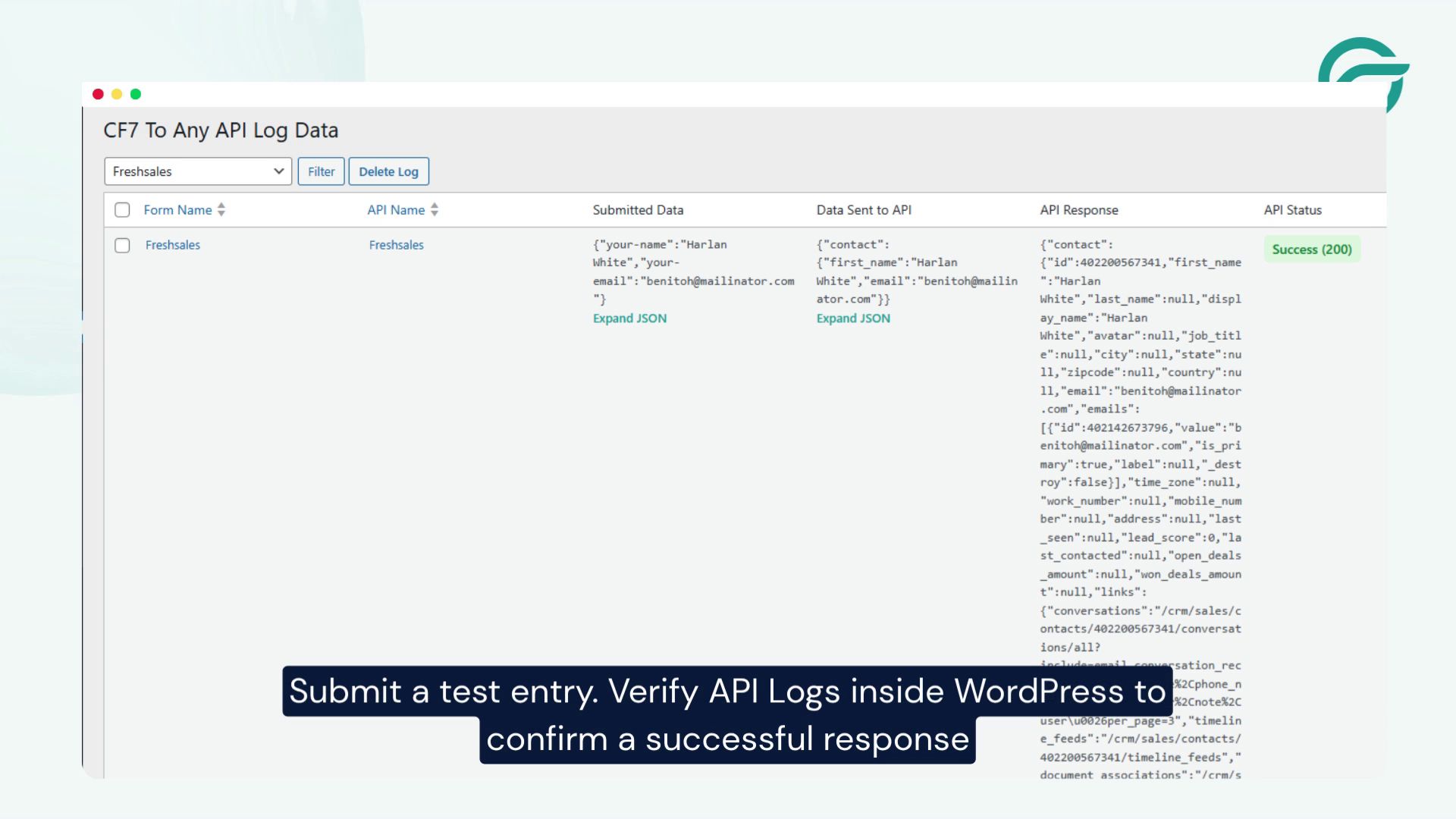
Submit your Contact Form 7 form with sample data.
Then, open:
Contact Form to Any API → API Logs
Verify that the API request returned a successful response.
Step 12: Verify Contact Creation in Freshsales
Go to:
Freshsales → Contacts
You should see the new contact created automatically from your form submission.
Final Thoughts
Using Contact Form to Any API, you can connect Contact Form 7 directly with Freshsales CRM without relying on Zapier or custom development.
Once configured, every form submission will automatically create a contact in Freshsales, helping your team capture leads faster and streamline your sales process.
Ready to Automate Your Contact Form 7 Leads?
Install Contact Form to Any API and start sending submissions directly to Freshsales in minutes.


