


Contact Form 7 to Any API PRO + OAuth Addon – Complete Integration Solution
Connecting Contact Form 7 to enterprise platforms like Salesforce, Google Workspace, Microsoft 365, or LinkedIn shouldn’t require a development team.
But here’s the challenge: Most enterprise APIs don’t use simple API keys. They require OAuth 2.0 authentication — a complex authorization framework that typically demands custom coding, token management, and ongoing maintenance.
The solution? Our OAuth 2.0 & JWT Add-On handles all of this automatically, without writing a single line of code.
That’s where Contact Form to Any API PRO + OAuth Addon comes in.
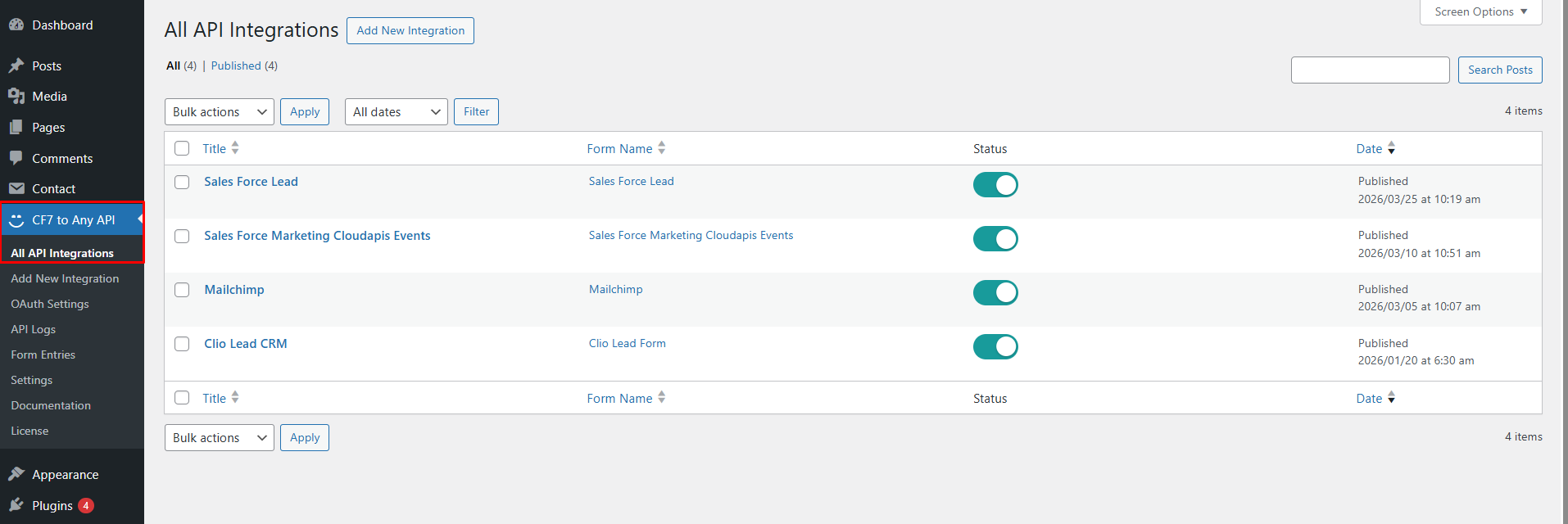
The Power of Automatic Token Management
Secure every data pulse. Our addon handles everything from simple API keys to complex OAuth 2.0 handshakes, ensuring your data reaches its destination without a hitch.
- OAuth 2.0 Standards
Support for Client Credentials, Password Grant, and Authorization Code flows. - Auto-Refresh
Never worry about expired tokens. Our system automatically refreshes authentication in the background. - Global Integration
Compatible with Google, Salesforce, LinkedIn, Microsoft, and custom REST APIs.
Complete OAuth 2.0 Support: All Grant Types Covered
Our add-on supports every major OAuth 2.0 authorization flow, ensuring compatibility with virtually any enterprise API.
1. Client Credentials Grant
Best for: Server-to-server integrations, automated workflows
How it works: Your application authenticates directly with the API using a client ID and secret. No user interaction required.
Example: Every form submission automatically creates a lead in your CRM without any manual authorization.
2. Authorization Code Grant
Best for: User-authorized integrations, accessing user-specific data
How it works: Users authorize your application through a secure login page, granting specific permissions. Your app receives a code that’s exchanged for access tokens.
Example: Form submissions trigger personalized emails sent from the user’s Gmail account or create calendar events in their Google Calendar.
3. Password Grant (Resource Owner Password Credentials)
Best for: Trusted first-party applications, legacy system integration
How it works: Your application collects user credentials and exchanges them directly for access tokens.
4. JWT (JSON Web Token) Authentication
Best for: Service accounts, Google Cloud Platform, enterprise SSO
How it works: Uses cryptographically signed tokens to prove identity without repeated authentication.
Example: Forms that write data to Google Sheets using a service account, no user login required.
Real-World Integration Examples
Example 1: Salesforce Lead Capture
Scenario: Real estate company wants every website inquiry to create a lead in Salesforce.
Without OAuth 2.0 Add-On:
- Hire developer ($2,500+)
- 2-3 weeks development time
- Ongoing maintenance costs
- Manual token refresh every 90 days
With OAuth 2.0 Add-On:
- 10-minute setup
- Automatic token management
- Zero maintenance
- Total cost: $99.99/year
ROI: Save $2,400+ in the first year alone
How to Set Up OAuth 2.0
Setting Up Client Credentials (Salesforce Example)
Step 1: Get Your Credentials
- Log into Salesforce
- Navigate to Setup → Apps → App Manager
- Create a new Connected App
- Copy your Client ID and Client Secret
Step 2: Configure in WordPress
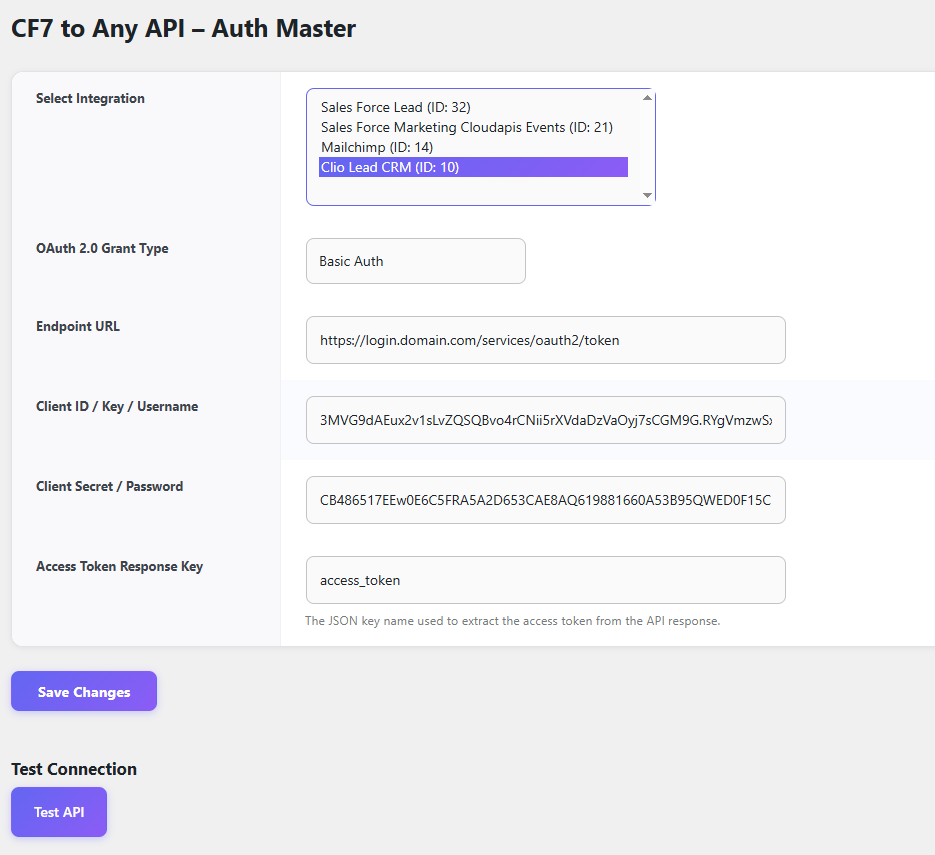
- Go to CF7 to Any API → OAuth Settings
- Select OAuth 2.0 Grant Type → Client Credentials
- Paste your Client ID and Secret
- Enter Token URL:
https://login.salesforce.com/services/oauth2/token
Step 3: Test & Activate
- Click “Test API Connection”
- View token status
- Activate integration
Total time: 5-10 minutes
Key Features
Conditional OAuth Flows
Send data to different APIs based on form field values, each with their own OAuth configuration.
Example: Route enterprise leads to Salesforce, but small business leads to HubSpot — each with separate OAuth credentials.
Security & Compliance
- Encrypted Token Storage – All tokens encrypted at rest
- HTTPS Required – All OAuth flows require SSL/TLS encryption
- No Third-Party Storage – Tokens never leave your server
- Automatic Token Rotation – Refresh tokens are rotated according to platform requirements
- Audit Logging – Complete logs of all OAuth operations
Feature Comparison
| Feature | Other Plugin | OAuth 2.0 Add-On |
|---|---|---|
| Basic Authentication | ✅ | ✅ |
| API Key Authentication | ❌ | ✅ |
| Bearer Token | ❌ | ✅ |
| OAuth 2.0 Client Credentials | ❌ | ✅ |
| OAuth 2.0 Authorization Code | ❌ | ✅ |
| OAuth 2.0 Password Grant | ❌ | ✅ |
| JWT Authentication | ❌ | ✅ |
| Automatic Token Refresh | ❌ | ✅ |
| Token Expiration Monitoring | ❌ | ✅ |
| Salesforce Integration | ❌ | ✅ |
| Google Workspace Integration | ❌ | ✅ |
| Microsoft 365 Integration | ❌ | ✅ |
Pricing & Plans
OAuth 2.0 Add-On
$99.99 / One Time Only
Includes:
- ✅ All OAuth 2.0 grant types (Client Credentials, Authorization Code, Password Grant)
- ✅ JWT authentication support
- ✅ Automatic access token refresh
- ✅ Automatic refresh token management
- ✅ Works with all enterprise platforms
- ✅ Priority email support
- ✅ 14-day money-back guarantee
Contact form 7 to any api PRO
$29.99 / year (Save $10)
Includes:
- ✅ Unlimited API connections
- ✅ Complex JSON structure support
- ✅ File upload with BASE64 encoding
- ✅ Multiple file uploads
- ✅ Integer field mapping
- ✅ Conditional logic
- ✅ Multi-site support
- ✅ 14-day money-back guarantee
Need Help Deciding?
Not sure if OAuth 2.0 is what you need? Contact our team:
📧 Email: [email protected]
💬 Live Chat: Available Mon-Fri, 9am-8pm IST


