


Introduction: The Real Problem With WordPress Form Emails
Most agencies already know how to build Contact Form 7 forms. The trouble surfaces after launch.
A common example: a client checks their CRM on Monday after running a weekend campaign and finds no new leads. Upon discovering, it is revealed that form submissions arrived in an inbox no one was supervising.
That is the real break. The email is sent, but the lead never reaches the system responsible for follow-up.
Email is often treated as the finish line. In reality, it is only one step in a longer operational chain.
Industry research consistently shows nearly 80% of leads never convert due to delayed or improper follow-up. The issue is rarely traffic or form design. It is what happens after submission.
That chain is fragile in agency environments. Clients use diverse tools. Teams rely on different workflows. When visibility is limited, failures stay silent until someone complains.
That is why the conversation shifts away from email settings toward automated lead capture and the need to automate WordPress form submissions reliably across workflows.
How Contact Form 7 Handles Email (And Where It Starts to Break)
Contact Form 7’s native email handling is solid when set up correctly. For instance,
- The Mail tab provides you with control over recipients, sender details, subjects, and message bodies.
- Dynamic mail tags pull form data into emails.
- An optional second mail can act as an autoresponder. It is sufficient for many websites.
This foundation matters before integrating Contact Form 7 with any email marketing platform or API. Automation only amplifies the problem when native delivery is misconfigured.
The official documentation walks through sender addresses, headers, dynamic fields, attachments, and response emails.
This setup works reliably in simple environments. One website. One inbox. One owner checking messages. The moment agencies enter the picture, the cracks appear.
Multiple clients mean multiple sender rules, inboxes, and expectations. Emails become the weakest link in the workflow. There is no confirmation beyond delivery.
No visibility once messages leave WordPress. No assurance that the right system received the lead.
Though Contact Form 7 handles email seamlessly, it was never designed to carry operational complexity. It is often the starting point before teams consider WordPress email marketing integration beyond basic notifications.
Why “Form-to-Email” is No Longer Enough for Agencies
Form-to-email workflows are ideal when an agency manages a single website and a single point of contact.
Agencies operate across clients. Each one runs their business differently.
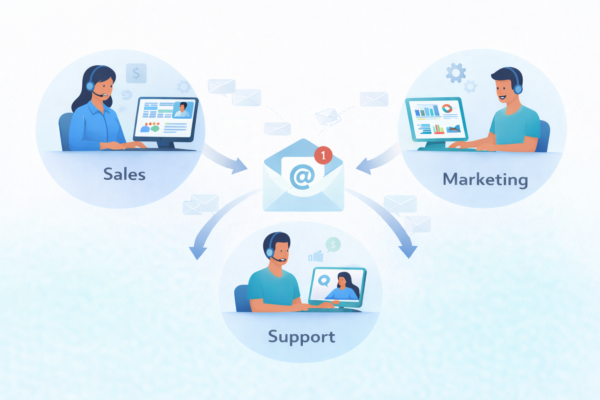
We have seen agencies launch campaigns where submissions arrive, but no one knows who owns the response.
Messages land in shared inboxes. Some are addressed late. Others are skimmed and forgotten. Everything appears functional from the outside.
However, the gap surfaces later. A client asks why lead capturing feels slow. Another asks why a prospect is followed up on twice. Only then does the team realize submissions were sitting in the wrong place, with no signal that action was required.
Inbox delivery offers no confirmation beyond arrival. It cannot reveal whether the right person saw the inquiry or whether it triggered the next step. Agencies discover missed leads reactively, and not in real-time. At scale, that uncertainty becomes a liability. What works for one website may not work for many.
Why Choose Automation Instead of Direct Email Integration
With low volume and an obvious ownership hierarchy, Inbox delivery works smoothly. It weakens the moment multiple tools, teams, and response paths enter the workflow.
WordPress lead automation changes what the form is responsible for. With Contact Form 7 to Any API, a submission routes immediately into the dedicated system to act on it.
At that point, the question shifts to whether the right system received structured data when the intent was warm.
That is where direct email integrations begin to show their limits. They are designed around static assumptions: one destination, one payload shape, one expected outcome.
However, those assumptions become constraints as soon as a workflow needs conditional routing, structured data enforcement, or long-term reuse across evolving processes.
CF7 to Any API removes those constraints by design. It introduces a routing layer that governs delivery logic independently of the form itself. Data structure, authentication, and destination behavior are defined explicitly, not implied.
That distinction defines scale. Convenience-focused automation simplifies setup for simple cases. API-based automation restores control when workflows evolve.
Before You Automate: Get Your Contact Form 7 Foundation Right
Automation exposes whatever foundation you build underneath it. If the base is shaky, the scale only escalates the problems.
Before you automate anything, confirm that Contact Form 7 sends emails reliably on its own. We have seen many teams neglect this basic step and end up debugging the wrong layer. Hence,
- Use a valid From address tied to the website’s domain.
- Avoid generic senders that trigger deliverability issues.
- Run real test submissions.
This step is about trust, not perfection. When native delivery works smoothly, you know the form captures data correctly. Mail tags resolve as expected. Submissions leave WordPress as expected.
A stable foundation ensures automating WordPress form submissions improves flow rather than masking delivery issues.

Step-by-Step: Connect Contact Form 7 to Any Email Platform (No Code)
At this stage, the goal is to implement automation without increasing complexity or upkeep.
Most business owners want the same outcome: the ideal system should receive the information instantly when someone submits a form. Not later. Not manually. Not after someone notices an email.
For agencies, the following steps replace fragile inbox workflows with WordPress email marketing integration that scales cleanly across clients.
1. Install and Activate Contact Form to Any API
Firstly, establish the integration layer. You are not redesigning forms or altering user experience. You are defining what happens after submission.
2. Select Contact Form 7 as the trigger
Each submission becomes an event, indicating the start of a workflow rather than the end of a message.
3. Choose the destination email platform or API endpoint
You decide where the data should go. It could be an email marketing platform or any CRM system that accepts structured input.
4. Map form fields to the email payload
Each field connects directly to what the receiving system expects. Names, emails, and context arrive in usable form, not as raw text.
5. Configure subject lines and message content dynamically
Messages reflect intent. A sales inquiry looks different from a support request. Relevance replaces noise. Subject lines and content can adapt based on form intent, not just static templates.
6. Test the workflow and confirm delivery
A real submission should trigger immediate action. You confirm that the destination receives and processes the data without delay.
The key is to treat the form as a controlled entry point and Contact Form 7 to Any API as the routing layer that determines where data goes next.
Workflows stabilize once that layer is in place. Submissions route through a defined path. Each system receives data in the expected format, and at the moment, it can act on it. It is where automation stops feeling fragile.
CF7 to Any API doesn’t just connect forms to tools; it governs how submissions flow across your operation. Forms stop behaving like message generators and operate as dependable inputs into the systems that propel the business.
Concrete Example: Contact Form 7 to an Email Platform
CF7 already includes native integrations that allow form submissions to connect with specific email platforms. You can map fields to contacts, add users to lists, and trigger automated emails. In this setup, the form delivers data into a single downstream tool rather than stopping at an inbox.
This model is sound and works smoothly when the workflow is simple and the destination is fixed.
The limitation surfaces when that same form logic needs to operate beyond one predefined path.
Native integrations assume a single destination, a fixed data structure, and a one-off setup. They do not adapt easily when workflows change or when you need to reuse the same form pattern across different projects.
Agency work exposes this quickly. For instance,
- For one client, that form feeds an email platform for campaign follow-ups.
- For another, the identical form must notify an internal team first.
- For a third, the similar submission must reach a CRM before an email is sent.
At that point, the constraint is the rigidity of the delivery.
Contact Form 7 to Any API is designed for this reality. It treats the form as a stable source and introduces a routing layer that determines where submissions go next.
The destination can change – the same form can deliver differently structured data to each endpoint without being rebuilt.
The form remains familiar. The delivery becomes flexible. Operations scale without fragmentation.
Real-World Agency Use Cases (Where This Actually Pays Off)
Agencies rarely operate with a single tool or a single workflow. One client may rely entirely on an email platform for lead nurturing, while another expects submissions to reach a CRM first for qualification.
Support-heavy clients treat forms as intake points for tickets, while sales-driven businesses want instant visibility and ownership. When every form sends the same email to the same inbox, teams end up duplicating logic and manually correcting routing after the fact.
With automation in place, intent determines delivery. Sales inquiries can move straight into the systems where follow-ups happen quickly, while support requests arrive with full context in internal tools.
Nothing depends on someone scanning subject lines or interpreting free-text emails under pressure. Each submission arrives where it is expected, already structured for action.
Some agencies also route the same submission to multiple systems at once. Email platforms handle nurturing sequences, CRMs maintain deal visibility, and internal systems track intake – all without copying, forwarding, or manual intervention.
The result is fewer missed leads, faster responses, and workflows that remain reliable even as client requirements evolve.

Reliability, Data Control, and Operational Confidence
As form volume grows, reliability becomes more important than convenience. Inbox-based workflows offer no clear signal once a submission leaves WordPress.
You know an email was sent, but not whether the right system received the data or whether it triggered the next step. When something breaks, the failure stays silent until a lead is lost.
Automation changes that dynamic. Submissions are delivered in real time as structured data, not unstructured messages. Each destination receives exactly what it expects, in a format designed for processing rather than interpretation. Visibility improves because delivery is intentional, not assumed.
This level of control reduces operational anxiety. Teams stop checking inboxes for reassurance and start trusting the workflow itself. Fewer edge cases slip through unnoticed. Fewer follow-ups are reactive.
Forms become dependable entry points into the systems that run the business, instead of fragile handoffs that require constant supervision.
Build Once. Reuse Everywhere.
What we’ve explored here isn’t just about sending form emails. Agencies outgrow that concern quickly. The actual challenge is how submissions move once volume, clients, and expectations multiply.
Running modern agency operations on inbox delivery creates hurdles that compound quietly. Predictable outcomes require reliable systems.
Operations begin to stabilize when forms function as controlled entry points rather than isolated messages. Data moves where it should, responses stay timely, and clients no longer need reassurance.
Contact Form 7 to Any API supports this shift by enabling automation-ready forms that scale across clients without constant rework. That is what sustainable WordPress email marketing integration looks like at scale.
Build the workflow once. Let it carry forward everywhere.
Use Cases for Automating WordPress Form Submissions
1. Automatically Send Leads to Your CRM
When a visitor fills out a contact form on your WordPress website, their details can automatically be sent to your CRM system.
This ensures every lead is captured instantly without manual data entry. Your sales team can quickly view new inquiries, track potential customers, and follow up faster.
Automating this process prevents missed leads and helps businesses respond to prospects while their interest is still high.
2. Instantly Add New Subscribers to Email Marketing Lists
Many websites collect email addresses through newsletter signup forms. With form automation, every new submission can automatically add the subscriber to your email marketing platform.
This allows businesses to send welcome emails, promotional offers, or onboarding sequences immediately after someone signs up.
Automating email list management keeps your audience engaged and ensures no subscriber is missed.
3. Create Customer Support Tickets Automatically
When customers submit a support request form, automation can instantly create a support ticket in your helpdesk system.
This allows support teams to track requests, assign them to the right department, and resolve issues more efficiently.
Customers also receive confirmation that their request has been received, improving their overall experience with your brand.
4. Store Form Data in Google Sheets for Easy Tracking
Businesses often need a simple way to monitor form submissions. Automation can send every form entry directly to a Google Sheet.
This creates a real-time database of leads, inquiries, registrations, or feedback that teams can access anytime.
It also makes reporting and analysis easier since all form data is stored in one organized place.
5. Automatically Send Notifications to Teams
Form submissions can trigger instant notifications to internal teams through tools like email, Slack, or project management systems.
For example, when a new inquiry or service request is submitted, the relevant team members are notified immediately.
This ensures faster response times and improves collaboration within the organization.
FAQs
How do I connect Contact Form 7 to email?
Begin by confirming that CF7 sends emails correctly using its Mail settings. Once that works, tools like CF7 to Any API enable you to route submissions directly into email platforms or systems instead of relying solely on inbox delivery. The setup flow is covered earlier in this guide.
Is Contact Form 7 to Any API free to use?
Yes. CF7 to Any API is a free-to-use plugin and works smoothly for basic form setups and email delivery. As workflows become more complex, agencies typically opt for PRO to add automation features. It handles advanced routing, structure, and reliability at scale.
How do I connect Contact Form 7 to HubSpot?
You can send form data directly to HubSpot by routing submissions through an API-based workflow. Solutions like CF7 to Any API handle this delivery without manual forwarding and ensure structured contact data reaches HubSpot reliably. The automation approach outlined above applies here.
How do I fix Contact Form 7 not sending email?
First, verify sender addresses, domain authentication, and test submissions to ensure CF7’s native email setup is configured correctly. Email delivery issues usually originate from the mail server or DNS settings.
Most importantly, tools like CF7 to Any API ensure form submissions are captured and routed even if emails fail. You have an option to disable automatic emails and rely entirely on automated routing instead.


